
Warehouse Management Software with Barcodes and QR Codes
A practical guide to barcode inventory, stock control, product identification and warehouse workflows with Rigi24 Smart Inventory.
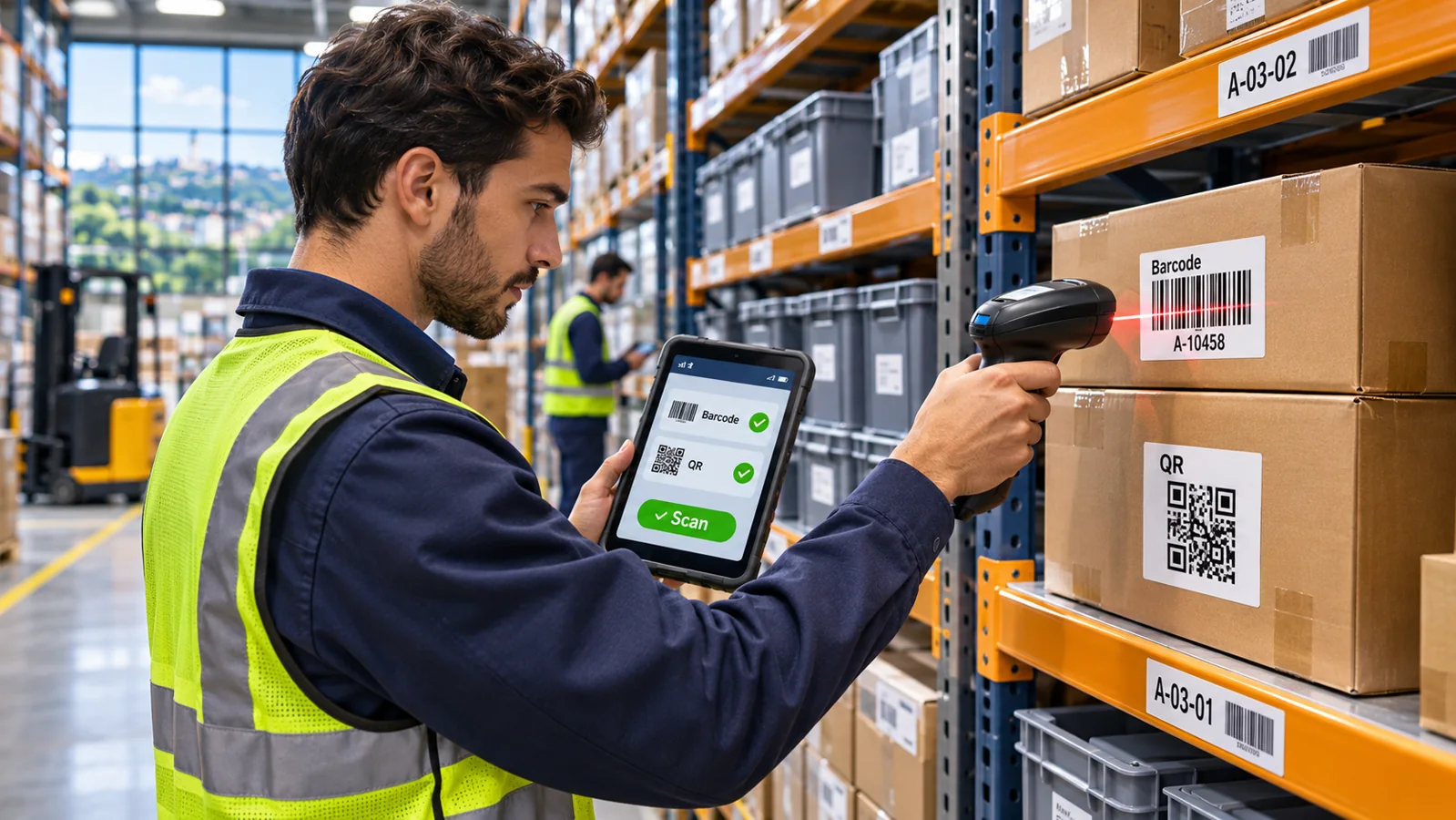
In warehouse management software, barcodes and QR codes help identify items accurately. Scanning alone does not post stock transactions: receiving, dispatch, transfers and counts still require a recorded operation. Rigi24 Smart Inventory brings these workflows together.
Why barcodes matter in warehouse operations
When a small business handles only a few dozen products, an experienced storekeeper may remember every item and its shelf. That arrangement becomes fragile as the range grows, packages change and staff members rotate. Barcodes do not replace operational knowledge; they make product identification more consistent. The employee reads a code, the application finds the matching item record, and an authorized user records the appropriate transaction. With accurate product data and a clear workflow, the result can be faster entry and fewer selection errors.
Scanning a barcode does not, by itself, change inventory. It establishes which product or location is involved. Receiving, dispatching, transferring and counting are separate transactions that need a quantity, a warehouse, and sometimes an explanation or reference document. Confusing a scan with a completed sale or stock movement can create new discrepancies rather than prevent them. Before purchasing equipment, document what scanning is supposed to do at each workstation, who confirms the transaction and how a mistake is corrected.
Barcode, SKU, GTIN and QR code: four different concepts
A stock keeping unit, or SKU, is a business's internal identifier for a distinct product variation. A retailer might assign CAB-BLU-5M to a five-metre blue network cable. That identifier makes sense in its own catalog, but it is not necessarily a globally recognized product number. A Global Trade Item Number, or GTIN, is a standardized identifier maintained within the GS1 system. Manufacturers and trading partners often use GTINs for retail and supply-chain identification. A product can have both an internal SKU and a manufacturer's GTIN; one should not silently replace the other.
A linear barcode such as EAN-13 encodes data as bars and spaces. A QR code uses a two-dimensional pattern and may contain text, a URL or another structured value, depending on the application. More data capacity does not make QR universally superior. When packaged products already have suitable retail barcodes, reusing them may be simpler. Internal shelves, service equipment and special workflows may benefit from QR labels. The correct choice depends on what the device can read and what the application expects.
Do not treat the barcode image as the identity policy. The business first needs an unambiguous item catalog: model, size, colour, packaging unit and other distinguishing features. The chosen barcode is then a way to find that record. GS1 materials are useful when a company needs standardized identifiers for trade; an internally generated code is a different matter and must not be presented as a legitimate GS1 allocation.
When to use manufacturer codes and when to create internal labels
If an incoming product carries a clear, valid manufacturer code, check whether it identifies the exact trade item and packaging configuration you need. One standardized box of a particular modem model may already have a usable code. By contrast, workshop parts, second-hand items, repaired equipment, bulk consumables or products without reliable labels may need internal identifiers. Create readable, stable, non-duplicated codes and link them to the appropriate product records.
Packaging deserves special attention. One carton containing ten units is not automatically the same unit of measure as one device. A case and an individual unit can have different identifiers. If the process sells individual units but receives cartons, define and verify the unit conversion before allowing staff to scan cartons into a receiving form. Variations in model, colour or capacity may require different SKUs; simply increasing the quantity of an existing variation does not.
Do not print hundreds of labels before cleaning the catalog. Consolidate duplicate records, settle naming conventions and test code uniqueness first. For labels applied inside the warehouse, include a human-readable number when space allows. It provides a fallback when a scanner, phone or network connection is temporarily unavailable.
How handheld barcode scanners work
Many USB scanners operate in a mode often called keyboard wedge: the decoded characters are entered into whichever field currently has keyboard focus, much like normal typing. Some send an Enter key after the code. This can be convenient for browser-based inventory software, but compatibility depends on the scanner's configuration, keyboard layout, browser and active form. A system that supports barcode identifiers is not automatically guaranteed to work with every scanner brand or model.
Two-dimensional imaging scanners can often read compatible one-dimensional and two-dimensional symbols, while some older laser-only models cannot read QR codes. Reading distance, durability, charging method, battery life and wireless coverage also matter. A scanner suitable for a checkout desk may be awkward when workers need to reach cartons on high shelving or operate in a dusty area.
Test one device with real labels before buying a fleet. Include small and large barcodes, glossy packaging, imperfect print, strong light, narrow aisles and different working distances. Check what happens if the cursor is in the wrong input field, if the code is absent from the database and if the same item is scanned twice. Make acceptance criteria practical: the correct record must open, the user must understand the result, and no unauthorized movement should be recorded.
Can a phone camera replace a scanner?
A phone camera may read QR codes and many barcodes through compatible software, but performance depends on camera permissions, image quality, lighting and the application workflow. Reflective packaging, distant labels and repetitive high-volume work can be more comfortable with a purpose-built scanner. In a small warehouse with relatively few scans, a compatible phone-based workflow may reduce the need for additional hardware.
The important question is not whether a camera can decode a symbol in isolation. It is whether the entire transaction works smoothly: identifying the item, confirming its warehouse and quantity, and saving the correct movement. Repeatedly copying a decoded value from an unrelated scanning application into inventory software wastes time and creates another chance for error.
Rigi24 Smart Inventory supports barcode and QR identifiers for recognizing and finding items. Claims about specific camera-scanning behaviour or particular devices should follow actual testing of the corresponding screen and equipment. Hardware requirements and optional accessories are separate from the baseline software subscription.
A practical equipment checklist
Begin with the catalog. How many items have manufacturer barcodes? How many need internal labels? Are employees receiving full cartons, picking individual units or both? How many people scan simultaneously? Then assess the physical environment: receiving desk, retail counter, narrow warehouse aisle, outdoor unloading area or high racks. Each environment may call for different ergonomics and durability.
For a pilot, a compatible USB scanner, a small batch of sample labels and—only if needed—a label printer may be enough. Compare scan speed and error rates with the existing process. Evaluate maintenance, replacement batteries, cables and training alongside the purchase price. Avoid treating the cheapest scanner as the cheapest long-term deployment without looking at breakdowns and rework.
Create a short internal rule for labels: which code formats are accepted, which employee assigns new codes, where labels are attached and when damaged labels are replaced. A barcode attached to packaging that is discarded before storage may be useless when an item later needs to be counted. Plan for identification throughout the product's real journey.
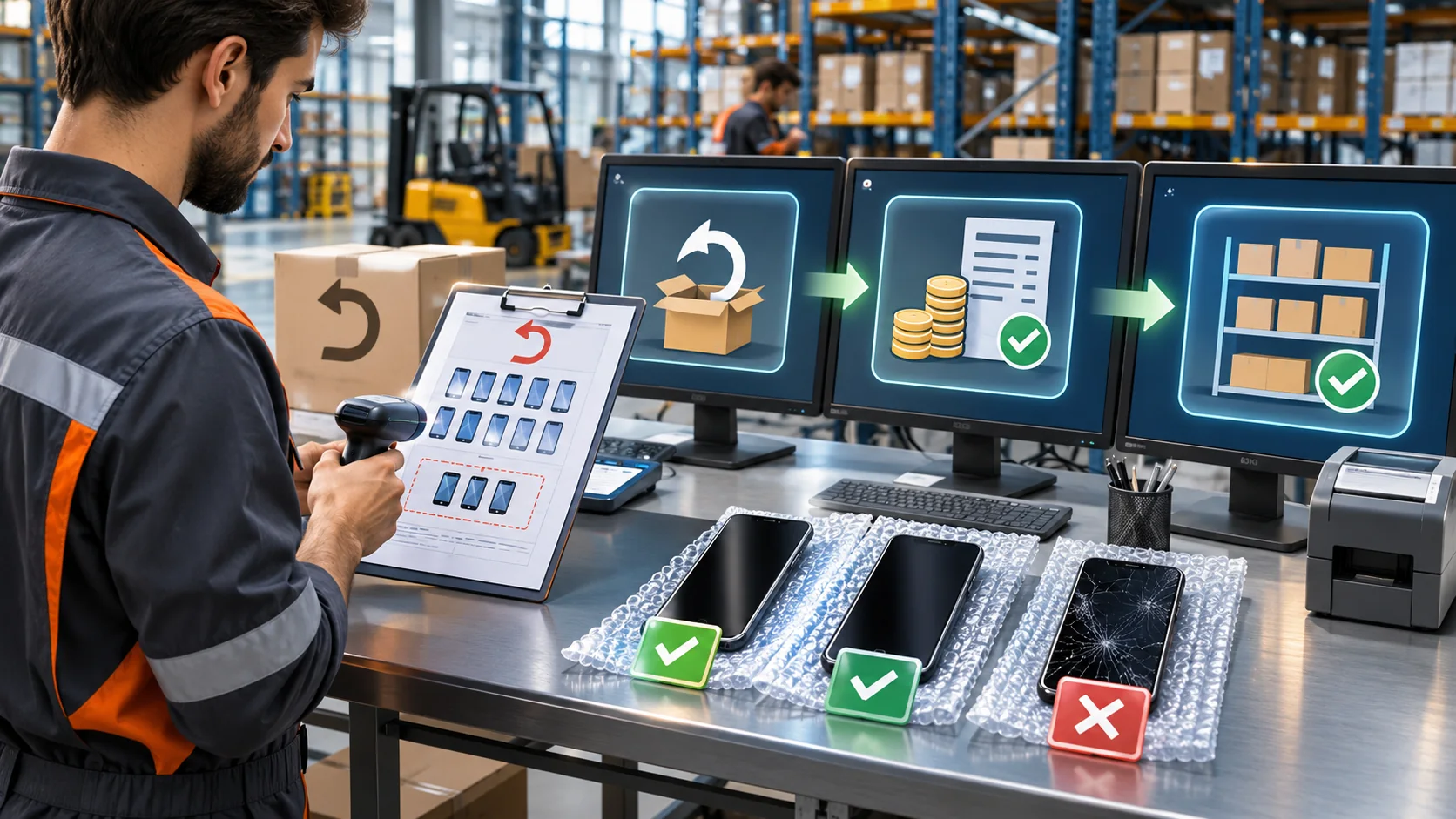
Stock control also means separating usable, damaged and saleable quantities by warehouse and storage location. Rigi24 warehouse management software.
Setting up product records correctly in Rigi24
A reliable implementation starts with a master item record: clear name, correct model, essential variations, photo or notes where useful and an identifier that matches the physical item. Then configure the warehouse and internal storage location. For example, a particular network cable might be stored in the central warehouse, aisle B, shelf 03. Workers joining a new shift should be able to match the physical label with the structured record rather than rely on memory.
In Smart Inventory, the number of SKUs and the number of physical units are different measurements. Four hundred identical units of one model do not automatically count as four hundred SKUs. Shelves and bin locations are also distinct from independent warehouses. These distinctions matter when choosing a plan and laying out the company's storage model.
The warehouse module sits alongside other Rigi24 modules, including the online store and invoice maker. Their operational integration depends on the relevant modules being active and the particular workflow being configured and verified. Do not promise that every scan will automatically produce a sales invoice or change storefront availability without testing that exact scenario.
Receiving goods with a scanner
Imagine a company receiving thirty identical modems. The receiving employee compares the delivery with its paperwork, reads the product identifier and records the correct quantity against the correct item. Similar-looking models need additional checks; a successful scan does not replace inspection of model numbers, physical condition and unit count. The destination warehouse and storage location should also be recorded so the next employee can find the goods.
For larger deliveries, divide the process into distinct steps: physical acceptance, item and quantity verification, transaction recording, and put-away. If three units are damaged, do not quietly combine them with available saleable stock. Their condition and any relevant repair, return or write-off workflow should be handled explicitly. The goal is an auditable record of what happened, not merely a larger balance in the database.
A useful pilot uses a mixed shipment containing multiple models, a missing item and a damaged unit. Observe whether the application helps workers recognize those differences and whether an authorized person can resolve an exception. Process quality should be measured in correct outcomes, not just the number of successful beeps.
Dispatching, picking and selecting the right product
The most costly dispatch error is not always a wrong quantity. A staff member may pick a similar-looking model with a different specification. Reading an identifier and checking the matching record can reduce this risk, provided the worker still confirms the source warehouse, intended quantity and reason for dispatch. A barcode scanner makes no independent business decision about whether an item is reserved, damaged or ready to deliver.
When an online store and invoice maker participate in the same business ecosystem, a well-designed process should coordinate sales events, reservations and physical fulfilment. One sale should not deduct the same quantity twice. But that desired behaviour must be verified in the configured workflow before it is marketed as automatic to every customer. The distinction between a system's intended architecture and a tested, enabled feature protects the customer's expectations.
For returns, reverse the reasoning rather than merely adding a number. Confirm what came back, in what condition, and whether the item can return to saleable stock. For exchanges, keep the return of the old product separate from dispatch of the replacement. Clear transaction types make later counts easier to explain.
Labeling shelves and storage locations
Barcodes are not only for products. Larger warehouses may assign unique identifiers to aisles, racks, shelves and bins. “Central warehouse / Hall 1 / Aisle B / Level 3” is more useful than “the shelf on the right.” Stable location names help newer staff find goods, improve handover between shifts and make physical counts more systematic.
A warehouse does not need an unnecessarily complex location hierarchy. Some operations can start with simple codes such as A01 and A02. Others benefit from separate zone, aisle, rack and shelf levels. What matters is that each code is understandable, unique within the chosen scope and maintained consistently over time. If shelves are rearranged, update the corresponding records and verify where the affected stock actually went.
An empty expected location also provides useful information. If the system expects an item in a bin but the bin is empty, that is a discrepancy to investigate, not a reason to invent a new quantity. The relationship between a product record and a physical location should make exceptions visible rather than conceal them.
Common mistakes in barcode projects
The first mistake is printing labels before deduplicating the product catalog. If one item exists under three names, separate barcodes can make that confusion harder to correct. The second is reusing one identifier for variations that really require separate product records. The third is overlooking which field has focus when a keyboard-wedge scanner sends its characters. The fourth is failing to distinguish a case, a carton and an individual unit.
The fifth mistake is believing that buying scanners guarantees accurate stock. Accuracy comes from master data, defined procedures, responsible staff and periodic counting. The best device cannot repair an unrecorded delivery or an internal transfer that no one entered. The sixth mistake is purchasing hardware without running real tests in the intended environment. Start small, document failures and scale only after the pilot succeeds.
Another common mistake is treating technical scanning success as business-process approval. A device may read a code perfectly while the wrong warehouse is selected on the screen. Validation must cover the whole action and its consequences in stock balances, not merely the scanner's ability to read printed symbols.
Online store module · Invoice module
Training workers with real scenarios
Effective training begins with three everyday examples: one item arrives, one item leaves and one item moves to another location. For each, the employee must know what to scan, which screen to open, what quantity to enter and how to confirm the result. Then practise exceptions: unreadable barcode, unknown product, wrong packaging unit, unexpected quantity or damaged merchandise.
Provide short step-by-step instructions near the workstation and identify who may change master data. If every worker creates a fresh item whenever a scan fails, duplicate SKUs will multiply. Assign ownership for item naming, code allocation and investigation of exceptions. Real observation during the first weeks is worth more than a presentation full of feature names.
A supervisor should also show how to correct an erroneous transaction according to the system's permitted workflow. Quietly editing a balance to make it “look right” can destroy the history needed to understand why the count changed. Teach staff to escalate exceptions instead of guessing.
Barcode accuracy matters for network devices, security equipment and access-control components, where similar-looking models may differ. For related equipment and smart-system solutions, explore NetCity technical solutions.
Example: a network equipment seller in Tbilisi
Consider a company selling network cables, switches, cameras and modems. Goods arrive at a central warehouse and some are transferred to a retail branch. Each model has its own record and appropriate identifier. During receiving, the employee verifies the model, records the quantity and assigns a storage location. Later, a salesperson wants to know which warehouse holds a particular camera and which shelf it occupies. Structured inventory data should be more useful than searching multiple spreadsheets.
Now a customer orders twelve cameras. Eight are at the branch and four must come from the central warehouse. The internal transfer and final customer dispatch are different events and should remain separately traceable. A scanner helps select the correct record, but confirmation of the quantity, authorization and actual handover still matter. If one camera is damaged, the repair or write-off status should also be reflected in the workflow; otherwise, the headline quantity may exaggerate what can really be supplied.
A practical trial includes a partial delivery, a mistaken barcode and a late return. The team can assess not only speed but whether each event ends with an understandable stock record. This is more convincing than demonstrating a dashboard without moving a single real box.
Measuring whether barcode use actually helps
Do not measure success only by devices bought or scans recorded. Better indicators include time to locate an item, wrong-model picking incidents, discrepancies found during counts, corrective transactions and time required to train a new worker. Record baseline values for a representative week before the pilot, then compare the same measures under similar working conditions. Improvement should be supported by operational evidence rather than advertising claims.
If reported discrepancies initially increase, the system may be revealing older errors that previously went unnoticed. Conversely, faster scanning accompanied by more duplicate product records points to a master-data problem. Investigate the underlying cause before praising or rejecting the solution. The aim is clearer decisions, fewer repeated manual steps and more reliable stock information.
Evaluate staff experience as well. Ask whether workers can identify an item without guessing, whether labels remain readable, whether correcting an exception is manageable and whether the process works at peak hours. A modest scanner deployment that employees use correctly can be more valuable than an expensive fleet that nobody trusts.
Inventory control and staff attendance are different processes. For shift planning and workforce time tracking, explore Kadrebi workforce management.
Frequently asked questions about barcode inventory
Must every product receive a newly printed barcode? No. Where a suitable manufacturer identifier exists, it can often be reused. Internal items or special needs may justify an internal label. Is QR always better than a linear barcode? No. Choose according to the data, scanning equipment and workflow. Will a USB scanner work with cloud inventory software? Many scanners type decoded values into web fields, but the particular device and workflow should be tested.
Does a scan automatically deduct stock? No. The relevant receiving, dispatch or sales transaction and its enabled rules determine the effect. Can storage locations also have codes? Location identifiers can make warehouse organization clearer when they match the physical layout. Is hardware included in the subscription? Scanners, printers and other physical accessories are not included in the base software price. Can Rigi24 handle more than one warehouse? Yes, within the limits of the active plan.
Conclusion and useful references
Barcodes and QR codes create value when they support a disciplined process for product identification, recording movements, assigning locations and investigating discrepancies. Rigi24 Smart Inventory provides structured warehouse and item information and can sit within the wider Rigi24 ecosystem alongside store and invoice functions. Test a few representative scenarios before scaling hardware and agree on SKU and packaging rules first.
For the overall approach, read the Rigi24 cloud smart inventory guide. For standardized trade identifiers, see GS1 Georgia and GS1 barcode standards. These references explain identification standards; they do not certify a scanner's compatibility with a particular business application.

Frequently asked questions
Must every product receive a newly printed barcode?
No. Where a suitable manufacturer identifier exists, it can often be reused. Internal items or special needs may justify an internal label.
Is QR always better than a linear barcode?
No. Choose according to the data, scanning equipment and workflow.
Will a USB scanner work with cloud inventory software?
Many scanners type decoded values into web fields, but the particular device and workflow should be tested.
Does a scan automatically deduct stock?
No. The relevant receiving, dispatch or sales transaction and its enabled rules determine the effect.
Can storage locations also have codes?
Location identifiers can make warehouse organization clearer when they match the physical layout.
Is hardware included in the subscription?
Scanners, printers and other physical accessories are not included in the base software price.
Can Rigi24 handle more than one warehouse?
Yes, within the limits of the active plan.
 Practical inventory counting resourcesWarehouse Stocktaking and Cycle Counting: How to Resolve Inventory Discrepancies
 Employee communicationTeam Chat for Employees: Private and Group Messaging | Rigi24
 Tasks and remindersWorkspace and Task Management for Small Teams | Rigi24
 Related practical resourcesInventory Returns Management: Partial Returns, Damaged Goods and Stock Reconciliation