
Waiter and Table Ordering Management with Rigi24: Comparing Pagers and Basic QR Menus
Even excellent food can be spoiled by poor service. Guests do not want to wait a long time to order, wave repeatedly to find a waiter, repeat an order several times, or wait ten minutes for the bill after the meal.
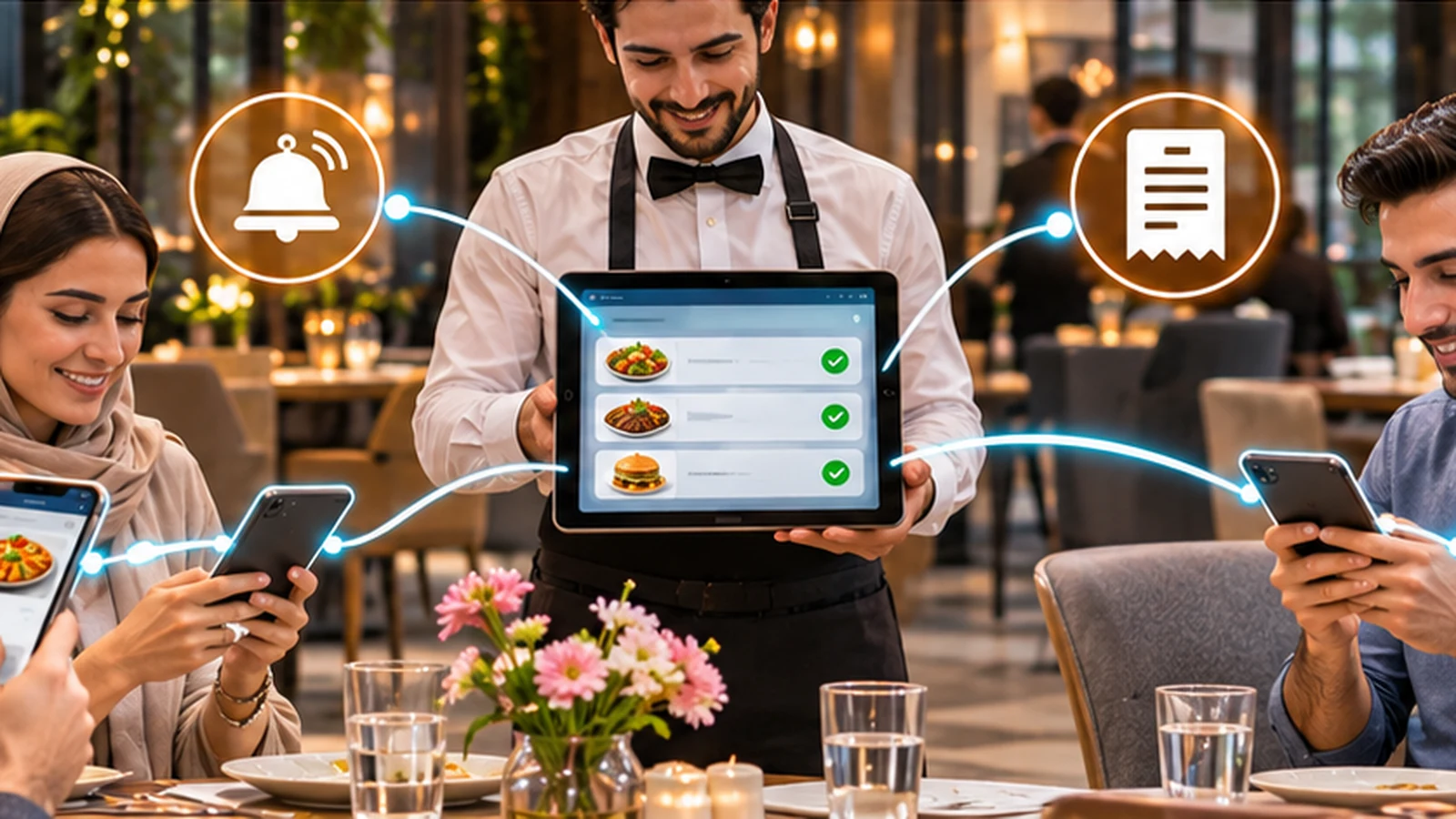
The waiter is one of the most important parts of the guest experience
Even excellent food can be spoiled by poor service. Guests do not want to wait a long time to order, wave repeatedly to find a waiter, repeat an order several times, or wait ten minutes for the bill after the meal.
At the same time, the waiter is often not the problem.
One waiter may be responsible for several tables while a new table arrives, another guest asks for water, someone needs the bill, a new order appears, the manager calls, and another table has a question about the menu.
When everything is verbal, it is easy to forget something.
The main problem is not lack of information; it is scattered information
The waiter needs to know which tables are assigned to them, which orders were placed, which table has a new request, who called the waiter, which table asked for the bill and what is still unfinished.
If some information is on paper, some on a pager and some in the till, the work becomes harder to manage.
The traditional ordering method
In the traditional model, the waiter goes to the table, gives the menu, returns a few minutes later and takes the order. Sometimes guests are not ready, so the waiter has to come back again.
The order is then written down and may later be entered again into a till or another system.
The same information moves several times between the guest, waiter and software.
The Rigi24 method
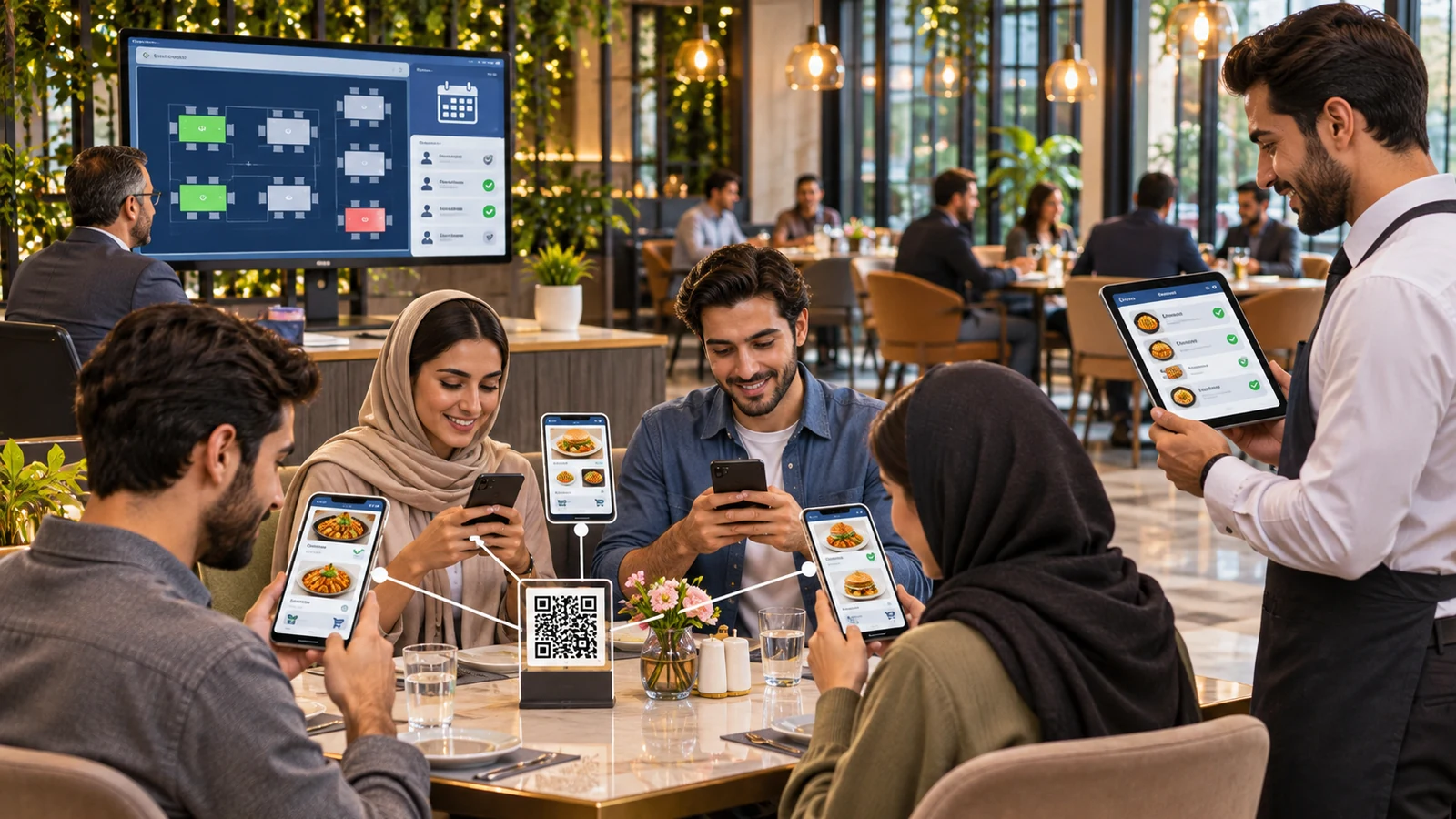
The guest opens the table QR code, sees the menu, chooses food, sees the price, selects quantity and can add a note when needed.
Then the guest submits the order.
The order is recorded in writing inside the restaurant system, where the waiter can see it.
Why does a written order matter?
If a guest says, “I asked for this without sauce,” it is difficult to check when the request was only spoken.
When the note is written into the order, the request is clear.
This reduces misunderstandings and lowers the chance that a detail is forgotten.
The guest sees the price before ordering
The waiter does not need to memorize every price. Guests see prices directly in the menu.
If the restaurant charges a service fee, it can also be included in the system calculations so the guest can understand how the final amount is formed.
The big difference from a basic QR menu
Many restaurants already use QR codes, but their QR code only opens a menu. The guest looks at the menu and still has to call the waiter to place the order.
The paper menu is gone, but the ordering process has not changed.
With Rigi24, after viewing the menu, the guest can place the order from the same table page.
That is the important difference.
Several people at one table; each can use their own phone
Imagine four guests at one table. All four can open the menu on their own phones.
One chooses steak, one salad, one pasta and one only a drink.
Each person can submit their own choice while all orders still belong to the same table.
What is the benefit for the waiter?
The waiter does not need to stand beside the table while four people decide.
Once the orders are submitted, the information is available and the waiter can spend time on more valuable service work.
What if someone does not have a phone?
Digital ordering does not mean traditional service is forbidden. The waiter can still help and take an order normally.
The purpose is not to force every guest to use a phone. It is to offer a faster option to people who want it.
A second order
The guest finishes the main course and now wants coffee.
There is no need to find the waiter first. The guest can open the menu again and submit another order.
A third order
Later the guest may want dessert.
Another order can be placed for the same table, so all orders remain in the same table service flow.
Calling the waiter
If a guest has a question or needs the waiter,
a waiter request can be sent from the table page and recorded in the system.
Why is this easier than waving?
Waving does not always work in a busy dining room. The waiter may be facing away, working in another area, or the guest may feel uncomfortable calling several times.
A digital request reduces this problem.
What does a pager do?
A pager or physical call button solves a similar problem. The guest presses a button and the waiter receives an alert.
Restaurants have used this approach for many years.
Pagers are still useful
A pager is not useless old technology.
It has real advantages. It is simple, the guest does not need a smartphone, and some radio systems can work without internet access.
For some restaurants, those advantages are very important.
But a pager usually only says “come here”
This is the main difference. The waiter knows table 8 needs attention, but not necessarily why.
Does the guest want water? Another order? The bill? Help with a problem?
In a software system,
the request can carry more information and stay connected to the same table and service flow.
Hardware means maintenance
Pagers and call buttons are physical devices. Depending on the model, they may need batteries, charging, a charging base, repairs and replacement.
Those costs matter when comparing solutions.
A QR code is not an electronic device
A QR code on the table is only a printed code. It has no battery, no charging and no electronic failure.
However, guests need a phone and the restaurant needs a suitable network or internet connection.
So QR also has its own requirements.
A fair comparison of pagers and Rigi24
If the only goal is to let the guest press a button and alert the waiter, a pager is simple and effective.
If you want the same guest to view the menu, choose food, place an order, order again, call the waiter and request the bill, a software system can do much more.
A restaurant does not have to remove its pagers
Both methods can be used together. A restaurant may use Rigi24 for menu, ordering and table management while keeping pagers for a particular internal need.
The goal is to build the right restaurant workflow, not to remove existing hardware for no reason.
Which tables belong to which waiter?
In a small restaurant, every waiter may cover every table. In a larger restaurant, responsibility is usually clearer when tables or areas are assigned.
Rigi24 includes waiter and table responsibility in restaurant operations.
Dividing the dining room into areas
The manager can divide the restaurant into areas such as the terrace,
main room, outdoor section or special room, and staff can work in those areas as needed.
Why does area assignment matter?
Without clear responsibility, either several waiters approach the same table, or everyone assumes someone else is handling it.
Clear assignment reduces this problem.
Waiter status
A name in the staff list does not mean the person is currently available.
The waiter may be on duty, on a break, finished for the day, or absent.
Starting a shift
When the waiter begins work, the active status should be clear. This is useful for the manager and for assigning tables.
Ending a shift
When the waiter finishes, they should no longer be treated as active floor staff.
Breaks
Waiters need breaks. During a long shift there may be one or more rest periods.
If someone is on break, new tables or requests should not be assigned without considering that status.
Waiter presence time
For daily operations, the manager needs to know who is on duty and who is not.
If the restaurant needs detailed workforce records, the next layer is the HR module.
Restaurant operations and HR are different
Restaurant tools focus on the dining room: is the waiter active, on duty, on break, and responsible for which area?
HR covers a wider employee-management need.
What does HR add?
The Rigi24 HR module can manage arrival and departure, lateness, early leaving, breaks, overtime, leave, absence, daily work hours and monthly reporting in more detail.
Does a small restaurant need HR?
Not necessarily. If you have four or five employees and only need to know who is on duty, Restaurant operations may be enough.
What about a large restaurant?
As the team grows, manual management becomes harder: waiters, kitchen staff, cashiers, shift managers, cleaners and other roles all need clearer work records.
At that point, the HR module becomes more valuable.
Bill requests and the waiter
After the meal, the guest can request the bill from the table page. The request enters the system and the waiter or responsible team can see it.
The guest does not need to spend extra time trying to find a waiter just to leave.
One person pays, or everyone pays separately
Both are common. One host may say, “Everything is on me,” while a group of friends may want to pay separately.
A multi-person table with individual orders makes both cases easier to manage.
Why is this important?
Splitting a bill at a large table can take a lot of waiter time. If each person's orders are already clear, the work is simpler.
Written information means fewer disputes
The more information that is only verbal, the more room there is for disagreement.
“I did not order two drinks.”
“That dish was not mine.”
“I did not ask for dessert.”
When orders are recorded, checking is easier.
What can the manager see?
The manager needs a wider view of the dining room, not just one order: tables, orders, waiters, requests and service status.
What makes restaurant software genuinely useful?
The number of screens and buttons does not matter. The system should make daily work easier.
If a worker needs ten steps for every simple action, the software is not helping.
The goal should be fewer steps.
Training the waiter
The system should be simple enough for a new employee to learn quickly.
A waiter is not a programmer and should see the parts related to their own work.
Mobile use
In a restaurant, a phone or tablet is often more practical than a desktop computer.
The waiter workspace should work well on a small screen.
Benefit for the guest
The guest has more control. They can calmly view the menu, check prices and place an order without waiting for every small action.
Benefit for the waiter
The waiter has written orders, does not need to memorize as much and makes fewer repeated trips just to ask, “Are you ready to order?”
Benefit for the manager
The manager has a clearer operational picture, responsibilities are clearer and less information is lost.
Customer loyalty is only an optional addition here
Rigi24 also has a separate customer loyalty module, but that is not the main subject of this article.
A restaurant that wants points, rewards or digital customer cards can activate that module separately.
Full details are in the dedicated article: Rigi24 Customer Loyalty Software
Full comparison
| Topic | Basic QR menu | Pager | Rigi24 |
|---|---|---|---|
| View menu | Yes | No | Yes |
| View price | Yes | No | Yes |
| Place order | Usually no | No | Yes |
| Several people ordering at one table | No | No | Yes |
| Order notes | Limited | No | Yes |
| Order again | No | No | Yes |
| Call waiter | No | Yes | Yes |
| Request type can be clear | No | Limited | Yes |
| Request bill | No | Limited | Yes |
| Waiter management | No | Limited | Yes |
| Staff shifts | No | No | Yes |
| Staff breaks | No | No | Manageable |
| Optional HR connection | No | No | Yes |
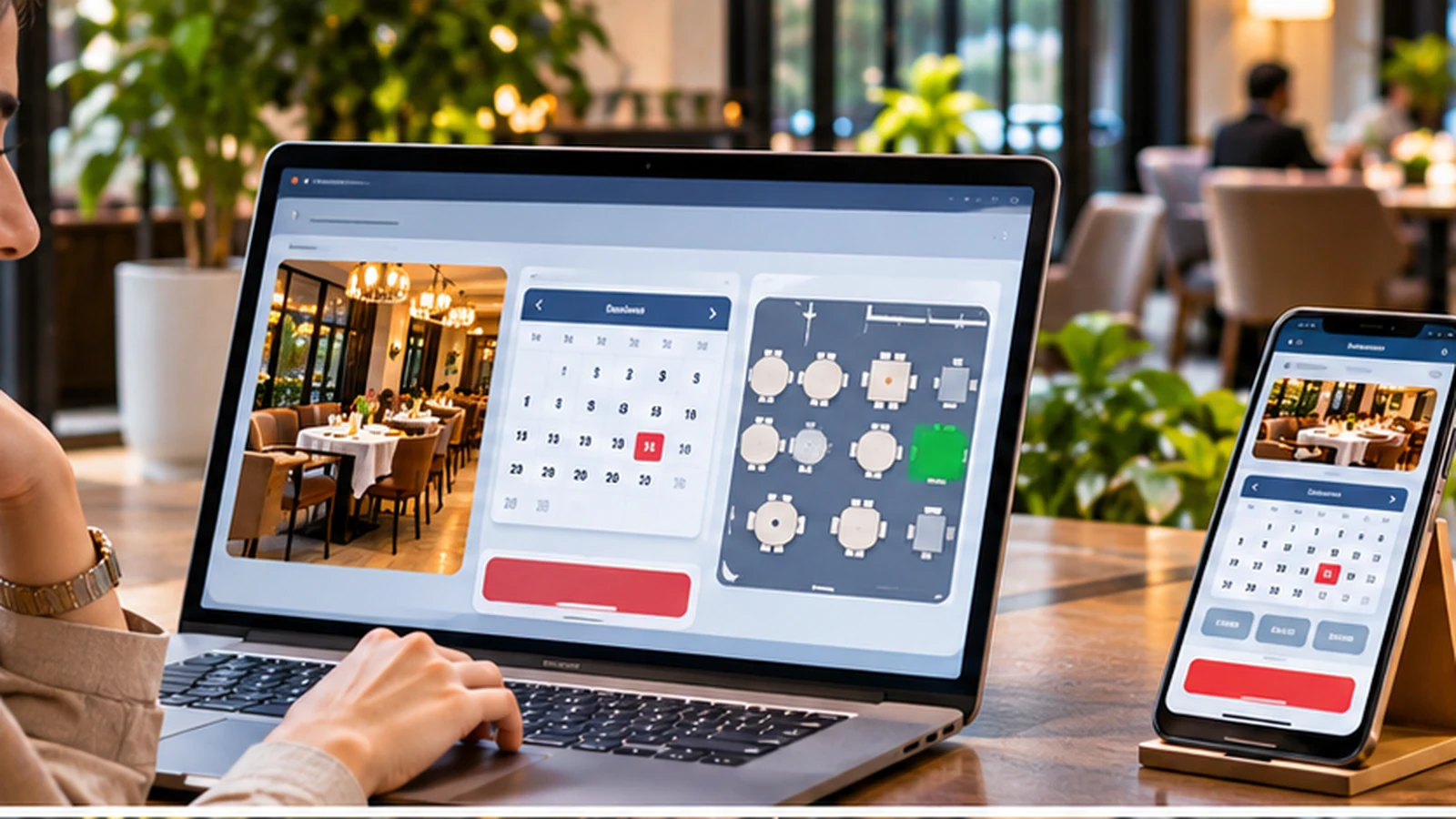
| Table reservation | No | No | Yes |
Which restaurant is a pager good for?
If the only need is a physical button that alerts the waiter, a pager can still be a good choice.
Which restaurant benefits more from Rigi24?
If the restaurant wants menu, ordering, table management, waiter requests, bill requests and reservations in one system, integrated software becomes more useful.
Does technology reduce the number of waiters?
That is not the main purpose. The purpose is to let staff spend more time on valuable service instead of repetitive tasks.
A good waiter still has an important human role: recommending food, solving problems, explaining dishes and creating a good experience.
Software reduces repetitive work; it does not remove hospitality.
What does a smart restaurant really mean?
A smart restaurant does not have to be full of gadgets.
Sometimes a simple printed QR code with a good system behind it is more useful than several separate devices.
Smart operation means the right information reaches the right person at the right time.
Summary
If a guest opens a QR code and only sees a PDF, you have a digital menu.
If a guest presses a button and the waiter pager alerts, you have a call system.
But if the guest can see the menu, know the price, choose food, place an order, order again, call the waiter, request service, ask for the bill, and several people at the table can each have their own orders, then the system is doing much more than a basic QR menu.
On the staff side, the waiter can work with tables and orders in a clear flow. The manager can track operational presence and shifts, and if full working-hour, lateness, break, leave and overtime management is needed, the HR module can be added.
Rigi24 is designed to make restaurant work simpler, not more complicated.
From order to delivery, the waiter needs one clear list
When several customers at one table submit orders, the most important thing for the waiter is to see them in one clear flow. Staff should not have to switch between paper notes, phone messages and memory. The first order, additional orders and later service requests should all remain connected to the same table. If a customer adds a note to a dish, that note should stay with the order. For the complete operational flow, also read Rigi24 Restaurant Management Software.
Separate payment becomes easier when orders are already separated
When each person at a table has registered their own order, it is clearer at the end who ordered what. If one guest wants to pay for the whole table, the orders can be combined into the table bill. If the guests want to pay separately, the individual order structure already exists. This is especially useful for groups of friends, colleagues and large tables and can reduce the time a waiter spends manually dividing the bill.
Why written service requests improve service quality
When a waiter call, water request, extra dish request or bill request is recorded, it becomes more than a momentary alert. The restaurant can identify which table made the request and what was needed. This can help the manager identify repeated service issues and improve staff training. If one table has to call several times, that may be a reason to review waiter assignments or staffing levels. In a completely verbal workflow, this type of operational picture is largely lost.
Compare pagers based on real needs
Pagers have genuine advantages and can be the right choice for some restaurants, especially when customers should not depend on a phone or the restaurant only needs a fast, simple alert. But when comparing costs, look beyond the purchase price and include the number of devices, charging, batteries, repairs and replacements. QR codes do not require electronic hardware on each table, but full use depends on the customer's phone and suitable network access. The right choice depends on the restaurant's real environment, not on which technology is newer.
Staff schedules should match the workload
Restaurant managers need to know who is present during each shift and whether staffing levels match the expected workload. The Restaurant Labor Management guide describes scheduling, clock-ins and clock-outs, breaks, absences and comparing actual hours with planned hours as core parts of labor management. Restaurant can support day-to-day floor status, while businesses that need deeper attendance reporting can add the Rigi24 HR module.
Future reservations affect how many waiters are needed
If a manager already knows how many tables are reserved for the evening, staffing decisions can be more informed. This is especially important on weekends, during events and at peak hours. The article Rigi24 Online Restaurant Reservations explains how telephone, walk-in and online reservations can share one schedule. When reservation information is considered together with staff shifts, operational planning becomes more practical.
The public menu can also be viewed before the customer arrives
A digital menu is not useful only through a QR code on the table. Restaurants can also share the menu link on their website, social media or Google Business Profile. Google's official guide to editing a Business Profile menu explains how restaurants can set a menu URL. The Google business links guide also describes reservation and ordering links. A well-managed menu can therefore help customers both before they arrive and while they are sitting at the table.
Loyalty is only an optional extension in this flow
The main subject of this article is waiters, orders and floor operations. Loyalty is not required for Restaurant to work. If the restaurant later wants to offer points or rewards to returning customers, it can activate the separate module. Full details are available in Rigi24 Loyalty Software Features, so there is no need to repeat the entire loyalty guide here.
Manager checklist for evaluating waiter management
Run a realistic test. Place four people at one table and let each submit an order. Have one guest place a second order, another call the waiter, and a third request the bill. Then check exactly what the waiter sees and whether anything is lost. Put one waiter on break and see how responsibilities are handled. Finally, test payment once as a full-table bill and once as separated individual orders. This kind of test gives a much better picture of real usefulness than a long feature list.
Frequently asked questions
 RIGI24 RESTAURANTRigi24 Restaurant Management Software: From Smart Menu and Table Ordering to Reservations and Waiter Management
 RIGI24 RESTAURANTRigi24 Online Restaurant Reservations: Manage Online, Phone and In-Person Bookings in One Calendar
RIGI24 RESTAURANTWaiter and Table Ordering Management with Rigi24: Comparing Pagers and Basic QR Menus
RIGI24 RESTAURANTRigi24 Online Restaurant Reservations: Manage Online, Phone and In-Person Bookings in One Calendar
RIGI24 RESTAURANTWaiter and Table Ordering Management with Rigi24: Comparing Pagers and Basic QR Menus
 Rigi24 Academy · InvoicingComplete Guide to Rigi24 Invoicing — Invoices, Acceptance Acts, Payments and Accountant Workflow