
Rigi24 Online Restaurant Reservations: Manage Online, Phone and In-Person Bookings in One Calendar
A table reservation looks simple at first. You take the guest's name and phone number, choose a date and time, and note the party size. But when the number of tables and reservations grows, the job is no longer so simple.
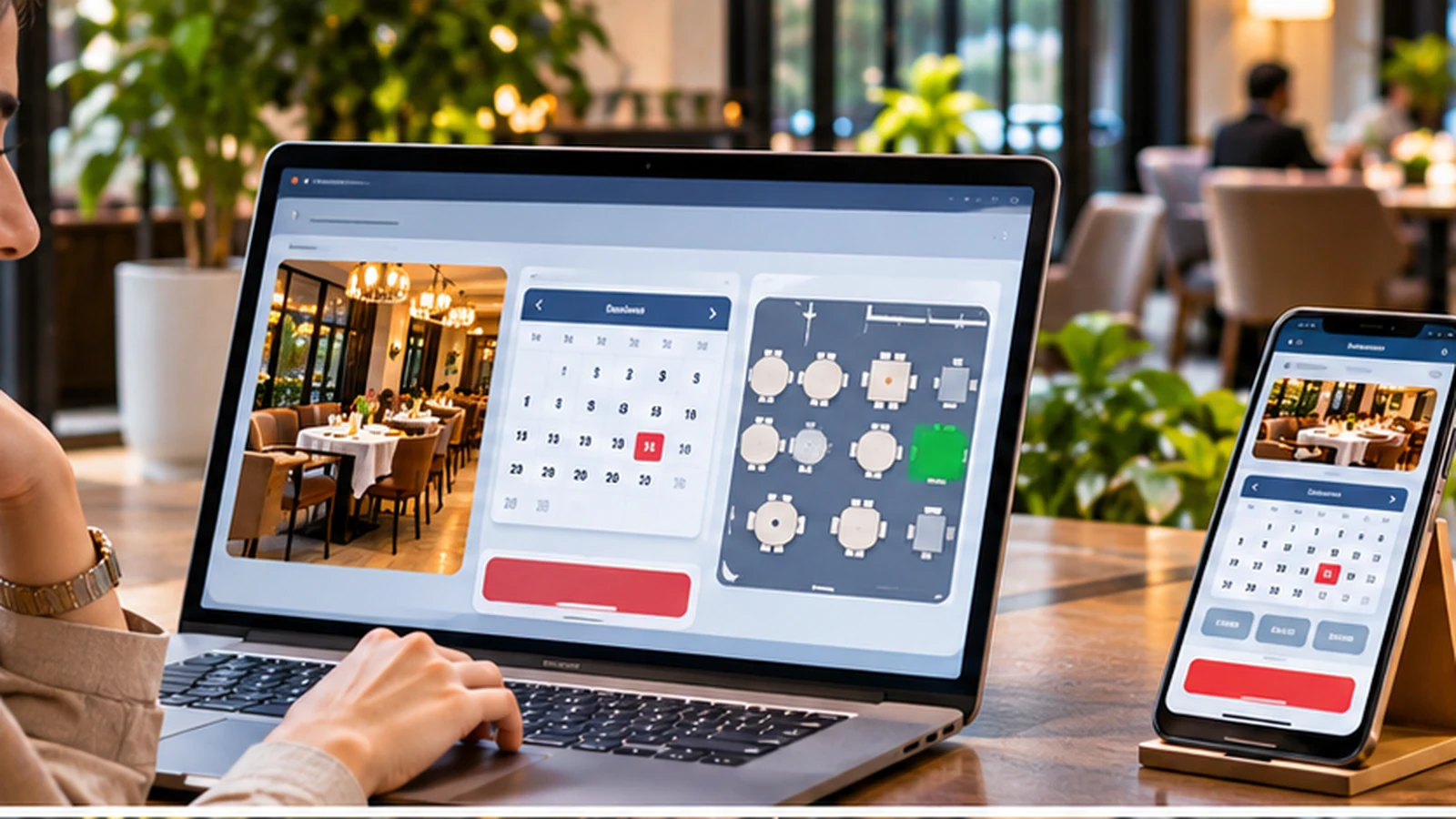
Why do many restaurants still struggle with reservations?
A table reservation looks simple at first. You take the guest's name and phone number, choose a date and time, and note the party size. But when the number of tables and reservations grows, the job is no longer so simple.
Imagine a restaurant with 30 tables. One guest books by phone, another asks in person for a table tomorrow night, another books from the website, and someone else sends a message on social media. If these bookings are kept in different places, mistakes become much more likely.
That is why a reservation system needs one shared center.
Phone reservations are still important
Online booking should not replace the phone. Many guests still prefer to call. They may have a question, have a large group, want a specific table, or be planning an event.
In Rigi24, the manager can enter a phone reservation directly into the same system.
In-person reservations
Sometimes a guest says while leaving: “Please keep the same time next Friday for six people.” That reservation should be entered in the same system as every other booking, not written on a separate piece of paper.
Online reservations
Alongside phone and in-person reservations, guests can book for themselves online. They open the restaurant's public page, choose online reservation, select the date and time, enter the party size, check the available tables and complete the reservation.
Why should all three reservation types be in one place?
Suppose a table has already been booked by phone for 8:00 PM. If the online booking system does not know about that phone reservation, the same table could be offered to an online guest.
Online booking is valuable only when it works with the restaurant's internal reservation system.
What is wrong with a paper reservation book?
Paper reservation books have been used for years. They are simple and familiar. But as business increases, their limitations become clear. Handwriting may be hard to read, a booking can be moved, a change can be written somewhere else, or two employees can promise the same table.
A guest also cannot make a reservation independently at 1:00 AM.
What about Excel?
Excel is more organized than paper and it can be searched, sorted and expanded with columns. But it was not designed as a live table-reservation system. When several people edit bookings or customers need online access, the work becomes more complicated.
A real reservation must be connected to a table
A simple form that only collects a name and a time is not enough. The restaurant must know which table the reservation belongs to. A table has capacity, a location and a current status, and it may be free only for a particular time period.
The system must check which tables are free
A guest should not be able to choose a table that is already reserved. When the date and time are selected, the system must check table availability. It should also check again when the reservation is finally saved, because two people may try to reserve the same table at nearly the same moment.
Why is the second check important?
Imagine two guests open the reservation page at the same time. Both see table 5 as free and both choose it. If the system trusts information that was shown a few seconds earlier, both reservations may be accepted.
A proper system checks again when the booking is submitted.
Reservation duration matters
A reservation does not have only a start time. Duration matters too. If a table is reserved from 8:00 PM to 10:00 PM, it should not be given to someone else at 9:00 PM. Both the start and end time must be considered.
Online booking can be available 24 hours a day
One advantage of online reservations is that guests do not have to wait for the restaurant to open. Someone may decide at midnight to book a table for the next day. The reservation page can remain available at any time, while the restaurant still controls the hours and capacity that can actually be booked.
Reservation link on the restaurant mini-site
The guest should be able to find the reservation page easily. Rigi24 can show the online reservation link on the restaurant's public mini-site. The same link can also be shared on Instagram, Telegram, WhatsApp, Google or the restaurant's own website.
Guests can view the menu before booking
Some guests want to see the food and prices before choosing a restaurant. When the public menu and reservation system are connected, they can review the menu first and then make a reservation without moving between unrelated websites.
Customer information in a reservation
A reservation needs enough information to identify the guest. The phone number is especially important. For phone reservations, the manager can begin with the caller's number. If the guest already exists in the system, earlier information can be reused.
Customer reservation history
When a returning guest calls again, previous reservation history can be useful. The manager can see that the person has booked before, which is especially helpful for regular guests and busy restaurants.
Group reservations
Not every booking is for two or four people. There may be a birthday, company meeting, family gathering, tour group or small event. Several tables may be needed. The system should be able to keep related table bookings together as one group reservation.
Why are group reservations important?
If a group of 25 guests needs three tables, the manager should not have to treat the three table bookings as unrelated records. It should be clear that those tables belong to the same group. That makes arrival and table preparation easier.
Pre-orders before arrival
Some guests want to arrange items before they arrive, such as a birthday cake, a special meal, drinks, dessert, flowers or another service. These details can be saved with the reservation so they are not lost when the guests arrive.
Why are pre-orders useful for the restaurant?
For large groups, advance preparation can reduce pressure on the kitchen. The restaurant knows how many guests are coming, what should be prepared, and which extra services were requested.
What happens when the guest arrives?
Before arrival, the table is held as reserved. When the guest comes in, the manager can record the arrival. From that point, the table becomes part of the live restaurant service.
The same reservation information continues
The restaurant does not need to create a second, separate table record when the guest arrives. The same reservation continues into the live service, keeping the customer and any earlier order information together.
What if the manager forgets to record the arrival?
This can happen in a real restaurant. The room is busy, the guests sit down, and someone forgets to press the arrival action. If the guest has a valid reservation for that table and opens the table QR code, Rigi24 can move that same reservation into active service.
A future reservation must not open too early
Suppose a table is reserved for 9:00 PM while another guest is using it at 6:00 PM. The 9:00 PM reservation must not be opened by mistake. The reservation time is checked before it can become an active table session.
What if the guest does not come?
A common restaurant problem is a guest who reserves a table but never arrives. Simply deleting the booking removes useful history. It is better to record a no-show status so the manager knows that the reservation existed, the table was held, but the guest did not arrive.
Why keep no-show history?
If a guest repeatedly reserves and does not come, the restaurant may choose to ask for stronger confirmation for a future large booking. That decision is difficult without history.
Cancelling a reservation
A guest may call and cancel. The manager should be able to change the reservation status rather than deleting the booking completely, so the history remains available.
Changing the reservation time
A guest may say: “We will come at 9 instead of 8.” The system should allow the reservation to be rescheduled and should check table availability again.
Daily calendar
For daily operations, the manager mainly needs to know what reservations are coming today. A daily view keeps the table plan clear.
Weekly view
For planning, it is also useful to see the next several days. For example, the manager can see how busy the coming weekend is expected to be.
Reservations and staffing
Reservations are not only about tables. If Friday night is heavily booked, the restaurant also needs enough employees. This is where reservations and staff planning meet.
Waiters must be ready for busy periods
If many tables are reserved but only two waiters are on duty, service quality may suffer. Staffing should match the expected restaurant workload.
For fuller management of work hours, arrivals, departures, breaks, lateness and leave, the optional Rigi24 HR module can be activated. Read about Rigi24 HR
HR for larger restaurants
If a restaurant only needs to know who is currently on duty, the operational restaurant tools may be enough. If management also needs monthly reports, lateness, breaks, overtime, leave and detailed working-hour calculations, the HR module adds a fuller layer.
Reservations and the digital menu
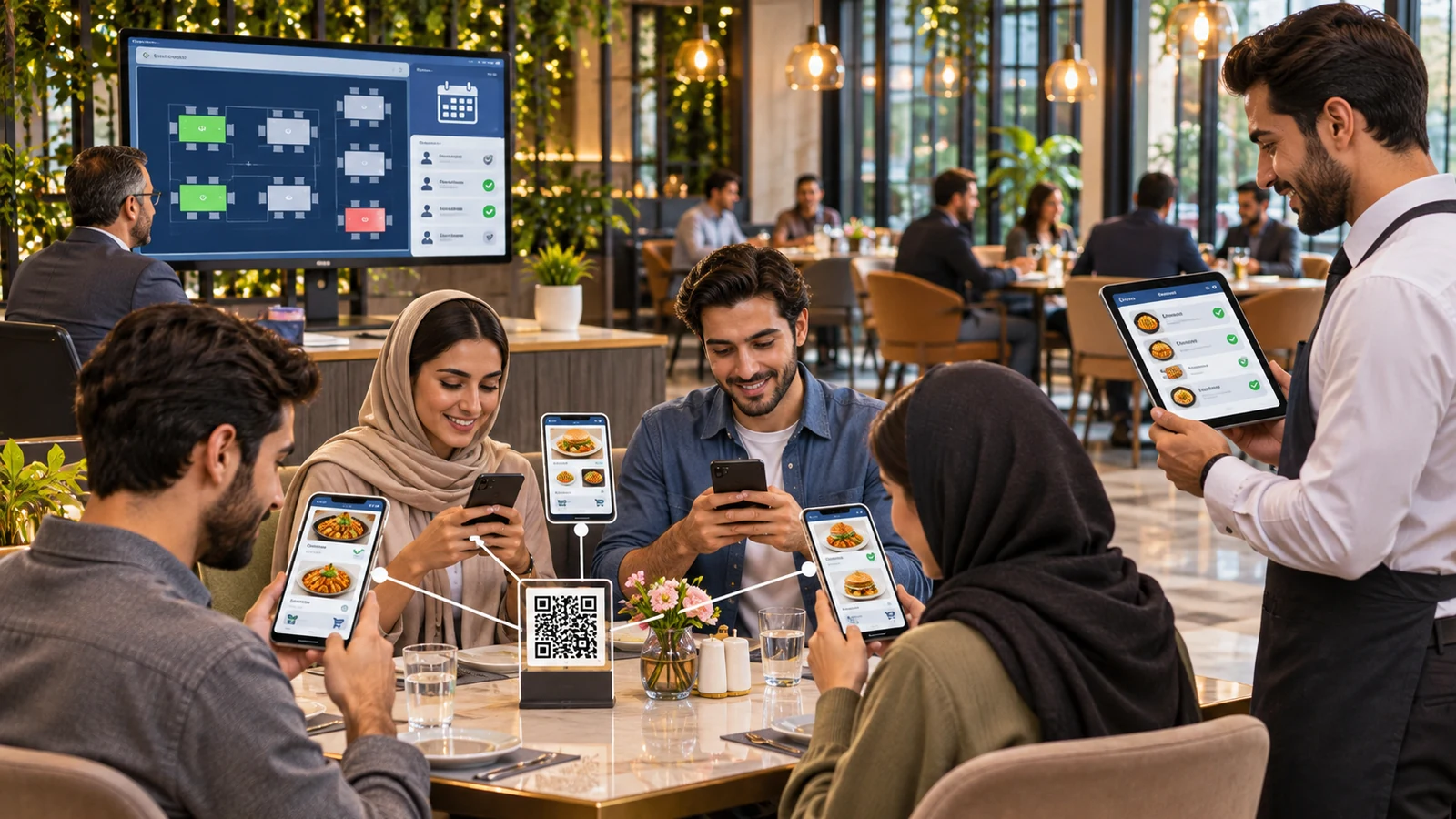
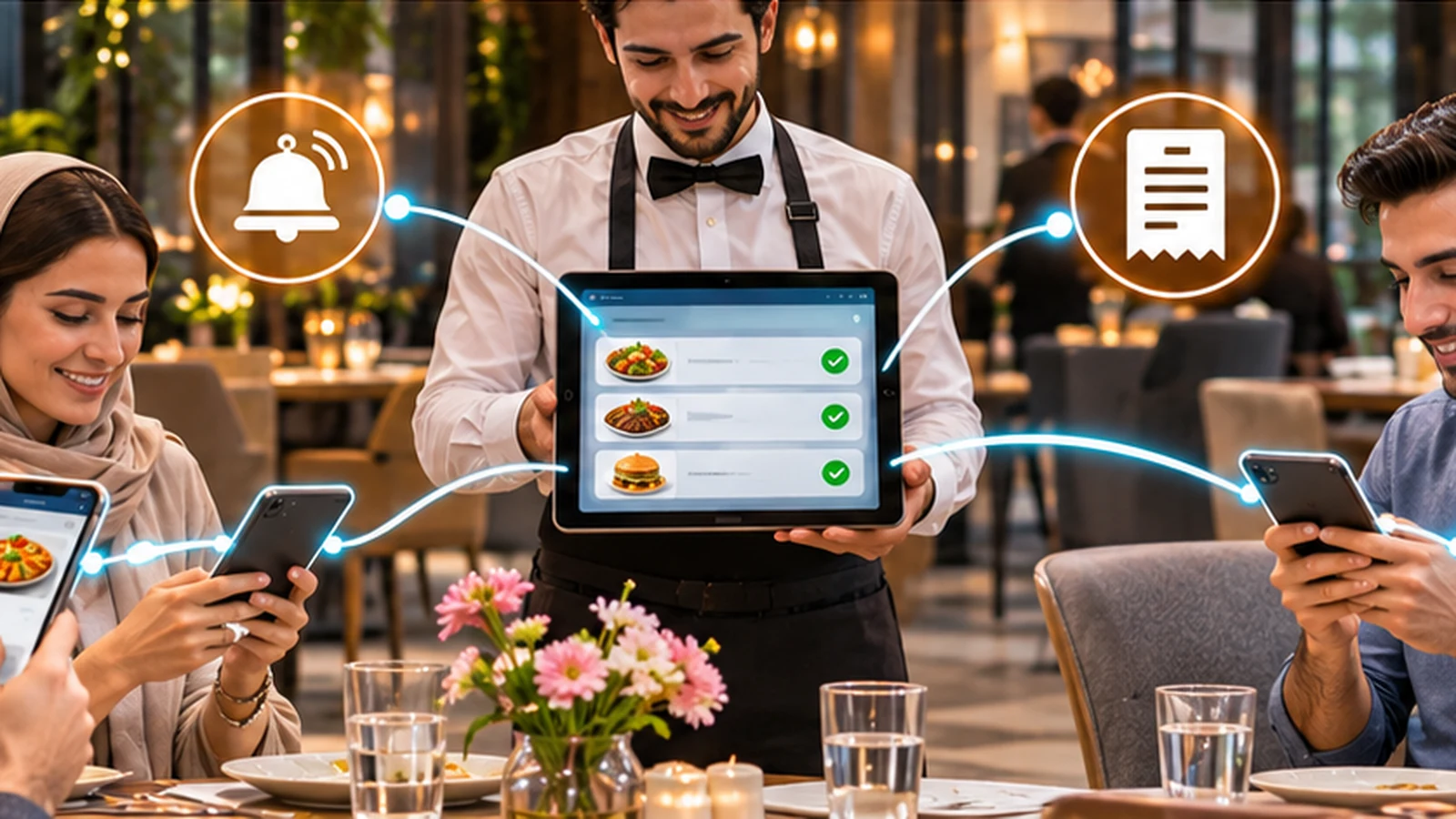
After the reservation, guests can open the table QR code when they arrive and enter the digital menu. The reservation then becomes part of the live table service. Guests choose food, orders are recorded and the waiter can see them.
Several people at one table
If a reservation is for six people, everyone at the table can open the menu on their own phone and place an order. The reservation is therefore connected to the actual table experience, not just to a calendar entry.
Payment after the meal
At the end, the guests can request the bill. If one person is hosting the group, the whole table can be settled together. If people want to pay separately, their individual orders can help separate the bill.
Reservation confirmation messages
When notification methods are enabled, the system can follow the reservation through the configured communication channels. The important point is that delivery status must be truthful. If SMS credit has run out, the software should not pretend that a message was sent.
A real reservation system is different from a contact form
A web form may collect only a name, phone number, date and message. That does not automatically make it an online reservation system. If the form does not know which tables are available, it is simply creating a request for someone to contact the guest later.
A real reservation system must understand restaurant capacity and tables.
Comparing three methods
| Feature | Paper book | Excel | Rigi24 |
|---|---|---|---|
| Phone reservations | Yes | Yes | Yes |
| In-person reservations | Yes | Yes | Yes |
| Customer online booking | No | No | Yes |
| Available-table check | Manual | Manual | System check |
| Overlap protection | Depends on staff | Limited | Yes |
| Group reservations | Manual | Manual | Yes |
| Pre-orders | Notes | Can be entered | Connected to reservation |
| Customer history | Difficult | Can be built | Yes |
| No-show status | Manual | Manual | Clear status |
| Connected to real table | No | No | Yes |
| Connected to table ordering | No | No | Yes |
Does a small restaurant need online reservations?
If the restaurant normally works without bookings, it may not be urgent. But if customers regularly call and ask, “Do you have a table tonight?” online reservation can reduce some of those routine calls.
Does online booking replace the phone?
No. Some guests will always prefer to call. The purpose is to give the guest another choice.
Is online reservation only for luxury restaurants?
No. A small café can also have limited capacity on weekends. Wherever table supply is limited and demand can be high, reservations can be useful.
The reservation page should stay simple
Guests should not have to fill in ten screens to reserve a table. The path should stay simple: date, time, party size, table, required customer information and confirmation. Every unnecessary step can make the guest leave.
Summary
A restaurant online reservation system is more than a web form. A reservation should be connected to a real table. Phone, in-person and online bookings should live together. Available tables should be checked. Overlapping bookings should be prevented. Group reservations should be manageable. Guests should be able to add pre-orders or special services before arrival. When the guests arrive, that reservation should continue into the live table service. A no-show should be recorded instead of disappearing. A changed time should be rescheduled properly. And after the guests sit down, the same system should connect them with the menu, ordering and table service.
That is the difference between a digital reservation notebook and a real restaurant reservation system.
Online reservations should be part of the real customer journey
An online reservation is useful when it does not become a separate island after it is submitted. A customer should not fill in a form only for staff to re-enter the same information into a notebook or another program. In Rigi24, a reservation can be connected to an actual table and, when the guest arrives, the same information can continue into service. For the full operational picture, also read Rigi24 Restaurant Management Software. The Restaurant module page explains the broader flow of tables, menus, orders and staff.
Where should the reservation link be placed?
Having a reservation page is not enough; customers must be able to find it. The link can be placed on the restaurant website, Instagram bio, social media messages, the Rigi24 public page and Google Business Profile. Google's official guide to managing business links explains that eligible businesses can add reservation, ordering and menu links to their profile. A restaurant should therefore keep one clear, stable reservation URL and use it across the channels where customers discover the business.
The menu and reservation flow should be close together
Many customers want to check food prices, menu style and general restaurant information before booking a table. If the menu is on one website, reservations on another and contact information somewhere else, the customer journey becomes harder. Google also explains how restaurants can manage menu information in its guide to Business Profile menu management. In Rigi24, the public menu and reservation path can stay close together so a customer can review the menu and then decide to reserve without moving between unrelated systems.
Reservations can help with staff planning
Future reservations are not only useful for arranging tables. If a manager knows how many tables and guests are expected on Friday evening, it becomes easier to decide how many waiters and other staff are needed. Restaurant labor management commonly includes scheduling, attendance, breaks and comparing scheduled hours with actual working hours. The Restaurant Labor Management guide also identifies advance reservations and orders as useful demand signals for labor planning. In Rigi24, businesses that need deeper workforce control can activate the HR module alongside Restaurant.
What should be recorded for a group reservation?
A group reservation is more than a headcount. The group may need several tables, a specific preparation time or extra services such as cake, flowers or a food preorder. It is better to record these details from the beginning so nothing is forgotten on the day of the event. When additional information is stored with the reservation, the floor team and manager can prepare before the guests arrive. This is especially useful for birthdays, company meetings, family gatherings and tour groups.
When is online reservation useful for a small restaurant?
Even a small restaurant can run out of tables on weekends or during specific hours. If customers frequently call to ask whether a table is available tonight, online reservations can reduce some of those repetitive calls. The restaurant does not have to make every table available online; it can decide how much capacity should be bookable. The important point is that online and telephone reservations should not become two separate books.
Connecting reservations with ordering and payment
Once the guest arrives, the reservation is only the beginning. At the table, customers can open the menu, each person can register their own order, and additional orders can be placed during the visit. At the end, one person may pay the whole bill or guests may want to separate their own orders. The article Waiter and Table Order Management explains this post-reservation flow in more detail. The Rigi24 Solutions page also shows how Restaurant connects with other modules.
Checklist for evaluating restaurant reservation software
Before buying or activating a reservation system, run practical tests. Create a telephone reservation, try to reserve the same table online for an overlapping time, change the reservation time, create a group reservation, add a preorder, mark the guest as arrived and then open the QR code for that table. Also check what happens when a customer does not arrive: does the system keep a no-show record or simply erase the booking? A good system should be reliable in everyday scenarios, not only look attractive on a product page.
Frequently asked questions
 RIGI24 RESTAURANTRigi24 Restaurant Management Software: From Smart Menu and Table Ordering to Reservations and Waiter Management
RIGI24 RESTAURANTRigi24 Online Restaurant Reservations: Manage Online, Phone and In-Person Bookings in One Calendar
RIGI24 RESTAURANTRigi24 Restaurant Management Software: From Smart Menu and Table Ordering to Reservations and Waiter Management
RIGI24 RESTAURANTRigi24 Online Restaurant Reservations: Manage Online, Phone and In-Person Bookings in One Calendar
 RIGI24 RESTAURANTWaiter and Table Ordering Management with Rigi24: Comparing Pagers and Basic QR Menus
 Rigi24 Academy · InvoicingComplete Guide to Rigi24 Invoicing — Invoices, Acceptance Acts, Payments and Accountant Workflow