
Rigi24 Restaurant Management Software: From Smart Menu and Table Ordering to Reservations and Waiter Management
When people hear “restaurant software,” many first think about a cash register or entering orders. But running a real restaurant is much broader than that.
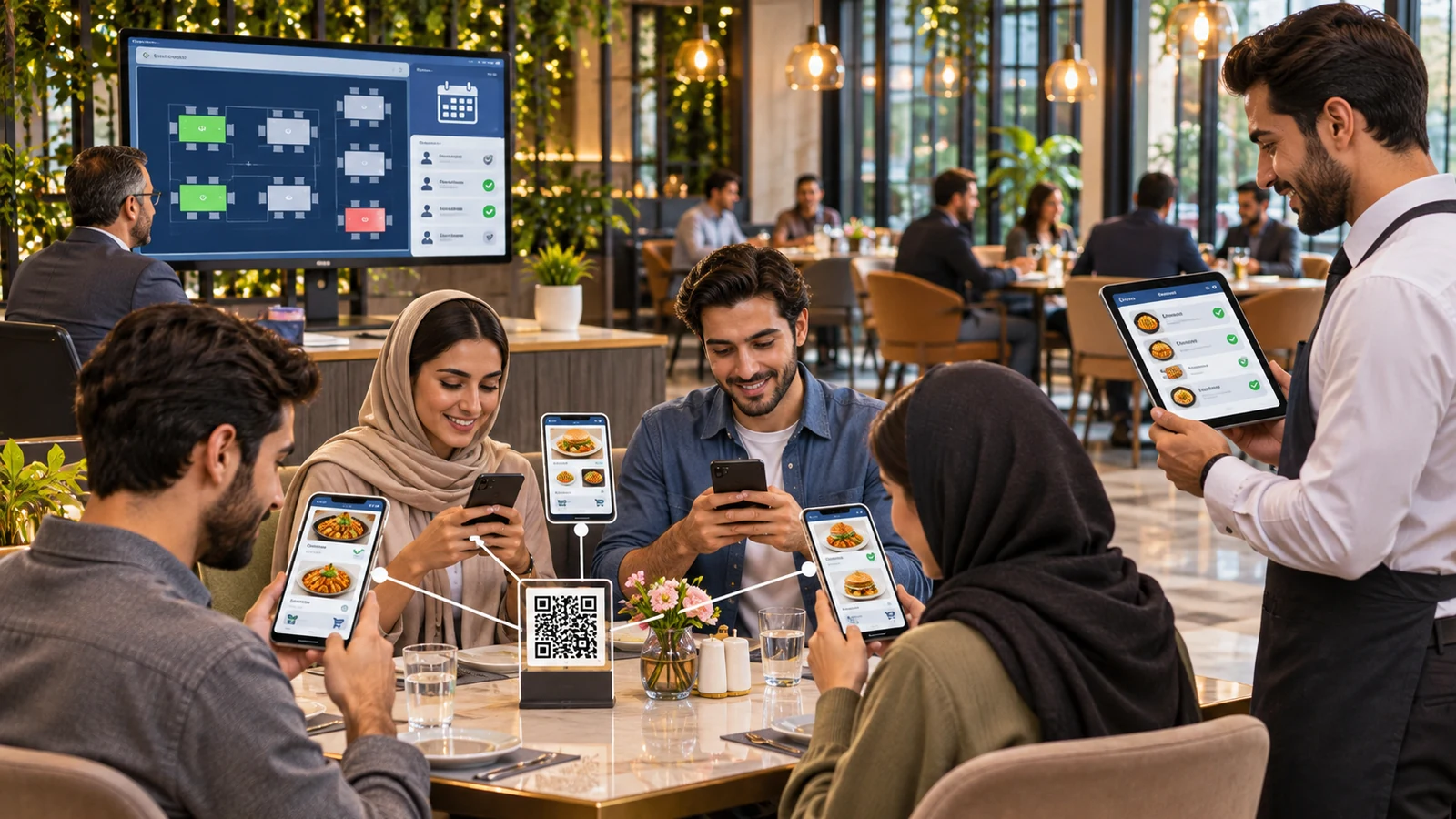
Restaurant management is more than a cash register and sales entry
When people hear “restaurant software,” many first think about a cash register or entering orders. But running a real restaurant is much broader than that.
A guest may reserve a table before arriving, call by phone, or make an online reservation from the restaurant’s public mini-site. After arriving, a table must be assigned, the menu must be available, and food must be chosen. Four or five people may sit at one table and each may want something different. One person may order a drink ten minutes later, another may want dessert, someone may call the waiter, and someone may request the bill. One person may pay for the whole table, or each guest may want to pay for their own food.
At the same time, the manager needs to know which table is open, which table is reserved, which waiter is responsible for each area, which orders have been recorded, which order is still pending, who is on shift, who is on break, and which table is ready to close. If every task uses a separate tool, management becomes difficult. Rigi24 is designed to put these parts into one connected flow.
What is the main problem with many restaurant systems?
Some systems are only built for the cash register. Some only provide a digital menu. Some only handle reservations. Some only sell pagers and waiter call buttons. Others only record employee attendance. Each tool may work well on its own, but when menu, reservation, waiter calls, staff attendance, customer information and sales are all separated, information becomes scattered. Rigi24 Restaurant brings a large part of daily restaurant work into one environment.
How is Rigi24 different from a simple QR menu?
Today many restaurants place a QR code on the table. The guest opens it, sees a web page or a PDF, checks dishes and prices, and then still has to call a waiter. The waiter must come to the table, listen to the order, and write it down or enter it into another device. If the guest wants something else later, the waiter must be found again. If the guest wants the bill, they wait again.
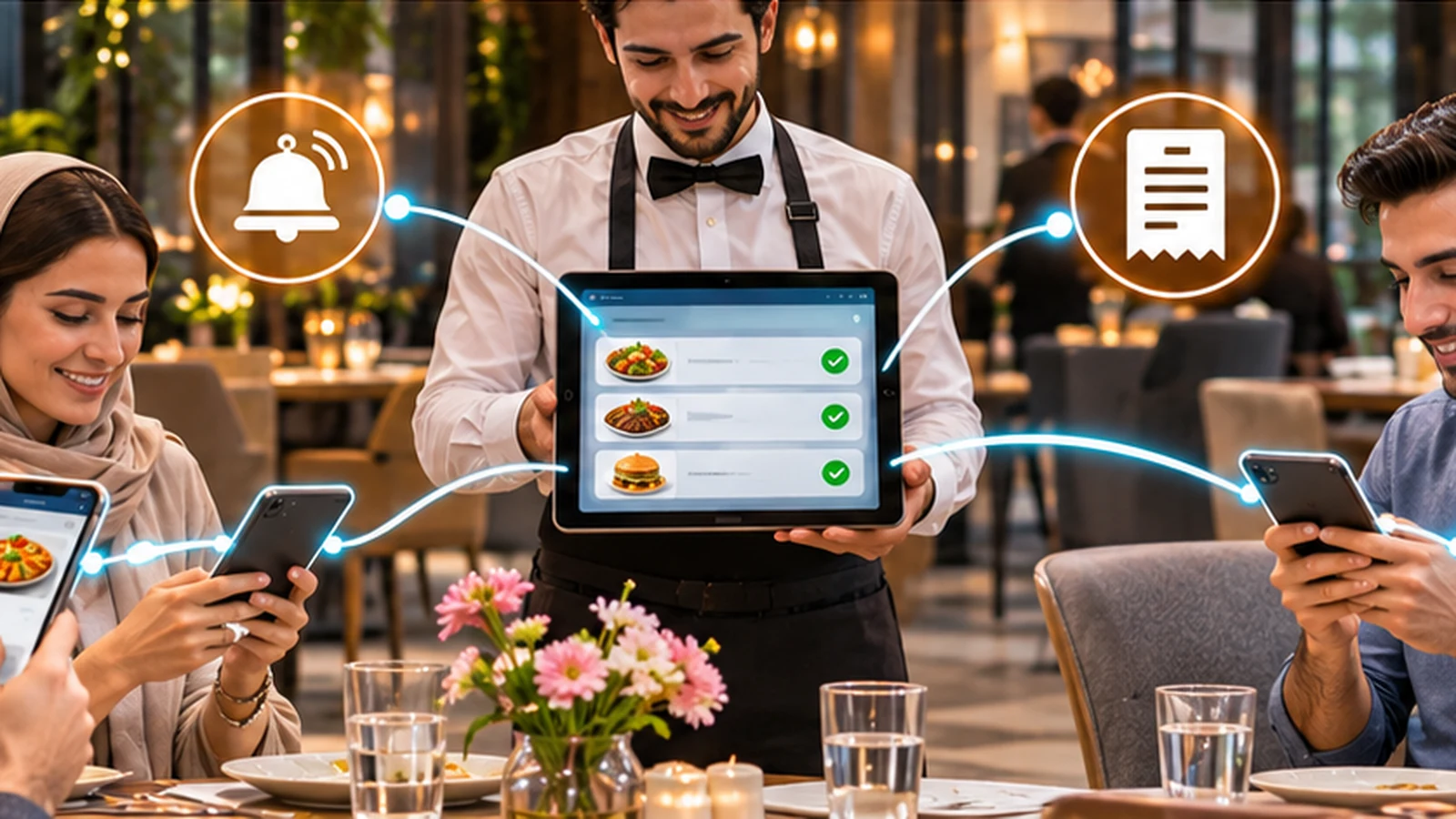
In that case, QR has only replaced the paper menu. In Rigi24, QR can be the start of a real connection between the guest and the table. The guest does not only view the menu. They can choose food, submit an order, add another order later, call the waiter, request service and ask for the bill. All of these actions stay connected to the same table.
The guest sees everything before ordering
Guests do not need to ask the waiter for the price of every item. Prices are already visible in the digital menu. Guests can calmly review the menu and decide. If the restaurant charges a service fee, it can be included in the order calculation. The guest should not discover an unexpected charge only at the end.
The service fee should be clear
If the restaurant charges a service fee, the system should calculate it transparently. For example, if food costs 200 GEL and the restaurant charges a 15% service fee, the system can calculate the service amount and show the final total. This clarity is better for both the guest and the restaurant.
Every person at the table can open the menu
Imagine six people sitting around one table. In the traditional model, the waiter stands beside the table and takes six orders. One guest has not decided, another changes their mind, and another has a question. With Rigi24, everything does not have to go through one phone. Each guest can enter the same table from their own phone, view the menu, choose their own food and submit their own order. They all still belong to the same table.
This is especially important for large tables
As the number of guests increases, the chance of mistakes increases too. At a table of twelve, a waiter may need to remember dishes, quantities, drinks, notes and special requests. When guests make their selections themselves, the information is written in the system and the chance of forgetting something becomes much lower.
The order is written, not only spoken
In a busy restaurant, one waiter may handle several tables. One guest asks for no onions, another wants two soft drinks, and someone else asks for the salad later. When the order is entered into the system, the dish, quantity, note and price are clear, and the recorded order is available to the responsible staff.
The waiter does not have to keep the order in memory
This does not mean the waiter is no longer needed. On the contrary, the waiter can spend more time on hospitality, helping guests, recommending food, delivering orders, solving problems and improving service quality. Software should reduce repetitive work, not remove human service from the restaurant.
The order goes directly into the restaurant workflow
When the guest submits an order, it does not remain only on the guest’s phone. It enters the restaurant system and the waiter or responsible staff can see it. The guest does not need to repeat the order verbally, and if there is a disagreement later, the recorded order is clear.
Second and third orders are also possible
Many tables do not order only once. Guests may start with the main dish, then order drinks, dessert or coffee. During the same visit, they can open the menu again and submit another order. The new order is added to the same table.
This is the real difference from an ordinary QR menu
A simple QR menu says: “Here are the dishes and prices.” Rigi24 says: “Here are the dishes and prices; choose, order, order again later, call the waiter and request the bill at the end.”
Call the waiter from the table
In a busy restaurant it is not always easy to find the waiter. A guest may wait for several minutes, look around or raise a hand. With Rigi24, the guest can send a waiter request from the table page. The request enters the system and the responsible staff can see that the table needs help.
A request is not only “come to the table”
A guest may need water, bread, an extra plate, napkins, help, or the bill. When requests are recorded in the system, staff can understand more clearly what the guest needs.
The waiter responsible for the table receives the request
In a large restaurant, it is not useful for every request to appear for every waiter. Rigi24 can work with the table, waiter and restaurant area structure, so requests can be placed in the workflow of the relevant person or team.
The restaurant can divide the hall into areas
Large restaurants often have areas such as the main hall, terrace, outdoor space, private area or upper floor. The manager can organize staff based on these areas so responsibilities are clearer.
Request the bill from a phone
One of the most common waits happens at the end of the meal. With Rigi24, the guest can request the bill. The responsible staff see the request and can follow it up.
One person can pay for the whole table
If one person is hosting the others, the system can support settling the whole table together.
Or everyone can pay their own share
Among friends or coworkers, each person may want to pay for their own order. When people at the table have separate orders, splitting the bill becomes easier.
The manager knows which tables are open
The manager should be able to see which table is free, which table is being served, which table has a reservation and which table is ready to close. This information should be visible in one place.
Phone and in-person reservations
Not every guest books online. Many call, and some make an in-person reservation for another day. The manager can record these reservations in the system so phone reservations are not kept in a notebook while online reservations live somewhere else.
Online reservations
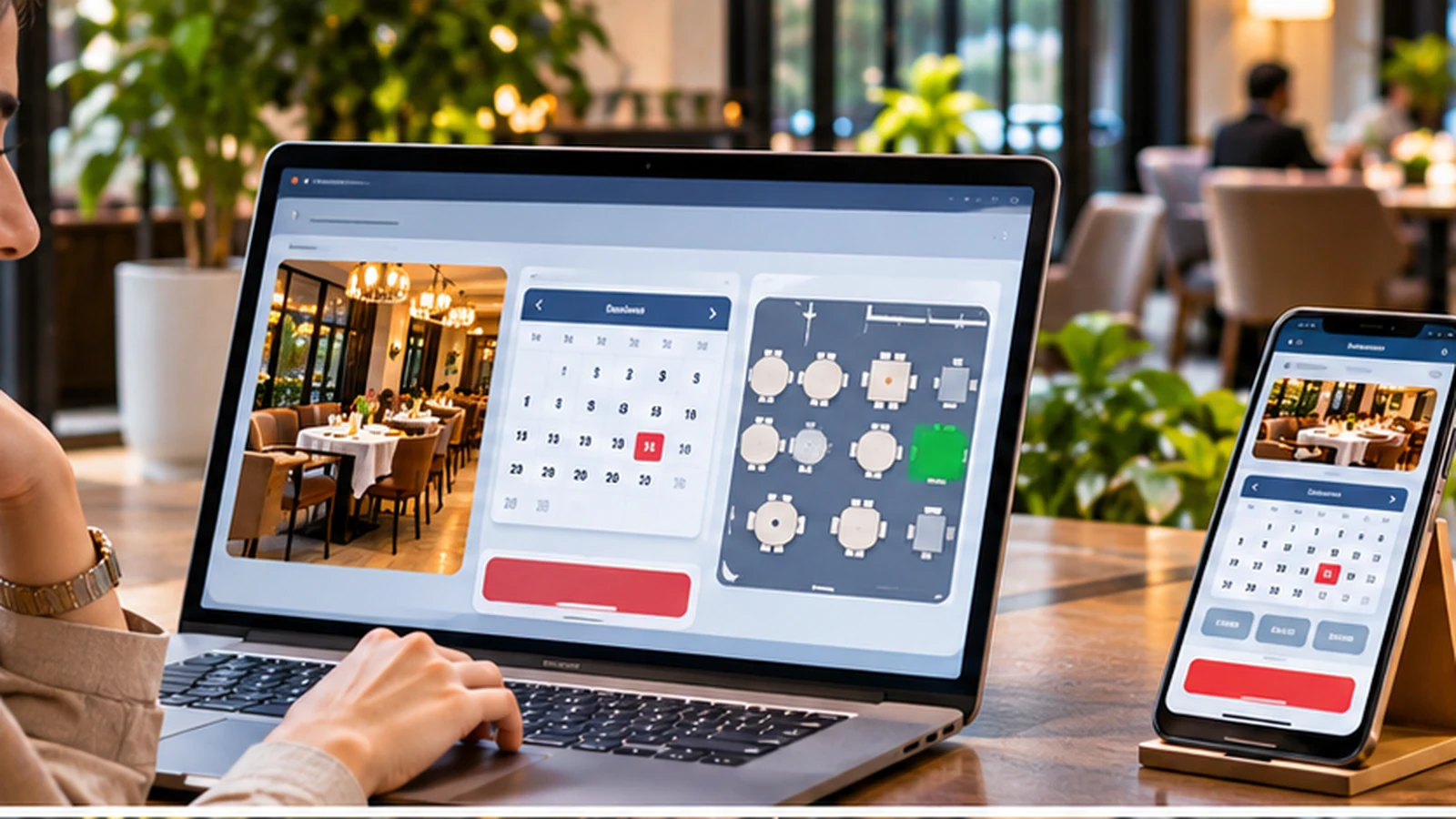
Guests can enter online reservation from the restaurant’s public mini-site, choose a date and time, enter the number of guests, check available tables and register the reservation in the system.
Online and phone reservations in one system
If one guest has reserved a table by phone and another guest opens the online reservation page, the system must take the existing reservation into account. All reservations should share the same schedule.
Pre-orders for reservations
For some events, guests may want to specify cake, food, drinks, decoration or other services before arriving. These items can be recorded with the reservation so the information is not lost when the guest arrives.
When the guest arrives, the reservation becomes real service
A reservation is not just a name in a calendar. When the guest arrives, the same reservation can become the active table, without entering the guest and reservation information again.
If the manager forgets to record arrival
If the guest has a valid reservation and opens the QR code of the same table, the system can move that reservation into the live service flow. This helps keep the reservation and the real table connected.
Rigi24 compared with a waiter pager
A pager or waiter call button is useful. A guest presses a button and the waiter receives an alert. But a pager usually only says that a table called the waiter. Rigi24 can connect that same table to the menu, order, service requests, bill and reservation as well.
What is good about a pager?
A pager does not depend on the guest’s phone, it is simple to use, and some models can work without internet. It can still be a good choice for some restaurants.
What are the limits of a pager?
A pager is hardware and may need batteries, charging, a charging base, repair, replacement and maintenance. A printed QR code has no electronic parts, although the QR system does need a suitable network connection.
Both systems can be used together
Using Rigi24 does not mean the restaurant must throw away all existing equipment. A restaurant may use Rigi24 for menus, ordering and table management while keeping pagers for a specific internal need.
What status do waiters have in the system?
A waiter may be on shift, finished with the shift, on break or temporarily unavailable. This matters when tables are assigned.
Start and end of waiter presence
The Restaurant module can manage operational information about waiter presence and shifts so the manager knows which staff are available today.
Waiter breaks
If a waiter is on break, it does not make sense to assign a new table to that waiter. Recording break status gives the manager a more accurate picture of active staff.
What if full staff management is needed?
A small restaurant may only need this operational information. A larger restaurant may also need to know how many hours each waiter worked this month, how late they arrived, how much overtime they worked, how many leave days they used, how long their breaks were, and how payroll should be calculated. In that case, the Rigi24 HR module can also be enabled.
Customer loyalty club: only when needed
Rigi24 also has a separate loyalty module. A restaurant with many repeat customers can enable it when needed. This article does not repeat the full loyalty guide because that topic already has its own detailed article.
Read the Rigi24 loyalty software features guide
Quick comparison
| Feature | Simple QR menu | Pager | Rigi24 Restaurant |
|---|---|---|---|
| Show menu | Yes | No | Yes |
| Show prices | Yes | No | Yes |
| Submit orders | Usually no | No | Yes |
| Each guest orders at the table | No | No | Yes |
| Order again later | No | No | Yes |
| Call waiter | No | Yes | Yes |
| Service requests | No | Limited | Yes |
| Request bill | No | Limited | Yes |
| Online reservation | No | No | Yes |
| Table management | No | No | Yes |
| Waiter shift status | No | No | Yes |
| Connect to HR | No | No | Yes, if enabled |
Is Rigi24 suitable for a small restaurant?
Yes. A restaurant does not need to enable everything from day one. It can start with the digital menu, table ordering, reservations and waiter management, then add HR or loyalty later if needed.
What is the biggest advantage of an integrated system?
Less duplicate work. When the guest enters the order, the waiter does not need to enter the same information again. When reservations are in the same table system, the manager does not need to move reservations from a notebook into software. When a waiter request belongs to the same table, it is clear where the request came from.
Conclusion
Rigi24 Restaurant is not only a digital menu, reservation system or call button. Before arriving, guests can reserve. At the table, they can view the menu, see prices, choose food, let each person enter their own order, order again, call the waiter, send another request and request the bill. One person can pay for the entire table, or guests can pay separately. The manager can control tables, reservations and active waiters, and if the restaurant grows, the HR module can be added for more complete employee time and workforce management. This is the difference between a “QR menu” and a “restaurant management system.”
A real customer journey from arrival to the end of service
To understand the difference between restaurant management software and a collection of separate tools, imagine one complete customer journey. The customer first visits the restaurant's public page and, if needed, makes an online restaurant reservation. After arriving, they scan the QR code at the table and open the menu. If several people are seated together, each person can register their own selection. The orders remain connected to the same table, so the waiter does not need to hear everything again from the beginning. During service, the customer can place another order or call the waiter, and at the end request the bill. This chain keeps the reservation, table, orders and service connected. You can also see the full feature overview on the Rigi24 Restaurant module page.
Why written orders matter to a restaurant manager
A written order is not only about avoiding a forgotten drink or dessert. Once an order is recorded in the system, the manager can later see what was requested, the quantity, and which table the order belonged to. This can help with training new staff, checking a disagreement with a customer and finding weak points in service. If one table places several additional requests or orders in stages, everything remains in one flow. A purely verbal order is much harder to review a few minutes later. The article Waiter and Table Order Management with Rigi24 explains this part in more detail.
A digital menu should be live, not just a file on the internet
A digital menu creates real value when the information is useful and actionable. The price, dish name, description and availability should be clear, and the customer should be able to continue from the same page. Google Business Profile also supports menu links and action links such as reservations and food ordering. The official Google guide on managing local business links explains that eligible businesses can add menu, reservation and food-ordering links to their profile. A restaurant can use this type of link to direct customers to its public page or Rigi24 mini-site.
Connecting restaurant software to the public page and customer acquisition
An internal restaurant system becomes more useful when customers also have a clear path from outside the restaurant. A customer may arrive from social media, the restaurant's main website, Google Business Profile or a direct message, then open the menu or reservation page. Google's official guide to editing a restaurant menu in Business Profile also explains how a restaurant can set its menu URL. In Rigi24, this path can connect to the Rigi24 Solutions page, the Restaurant module page and related articles so both customers and managers can find the information they need.
Does using a phone remove human service?
No. Mobile ordering should be an option and a convenience, not a requirement. Some customers prefer to browse the menu and submit an order themselves, while others prefer to speak directly with a waiter. A restaurant can keep both methods. The important point is that a customer who wants to act quickly should not have to wait only to check a price, add an extra order or ask for the bill. At the same time, the waiter gains more time for explaining dishes, making recommendations, looking after guests and solving problems. Technology should support human service rather than replace it.
What becomes more important for multi-location restaurants?
As the number of tables, waiters, service zones or branches grows, a shared method of recording information becomes more valuable. Managers need consistent rules for menus, orders, service and staff while still being able to operate each location according to its needs. Written records and a consistent structure make staff training and operational control easier. If a restaurant needs detailed attendance, leave and working-time management, it can use the Rigi24 HR module alongside Restaurant.
Loyalty is only an optional extension
A restaurant does not need to activate loyalty features in order to use Restaurant. Loyalty is a separate module and becomes useful when a business wants points, rewards or digital cards for returning customers. The full subject is covered in Rigi24 Loyalty Software Features. This article stays focused on restaurant operations: tables, orders, waiters, reservations and service. The modular approach lets a manager activate only what the restaurant actually needs.
Checklist for choosing restaurant management software
Before choosing any system, test real scenarios. Can several people at one table submit orders? Do the second and third orders remain connected to the same table? Is the service charge calculated correctly before settlement? Does a waiter request reach the relevant staff member? Are telephone and online reservations visible in the same calendar? If a guest has a valid reservation, does that same reservation continue into the table service? Can the restaurant handle both a single payment for the whole table and separated orders for individuals? Practical answers to these questions matter much more than the number of buttons or marketing claims. The goal should be to make everyday restaurant work simpler.
Frequently asked questions
RIGI24 RESTAURANTRigi24 Restaurant Management Software: From Smart Menu and Table Ordering to Reservations and Waiter Management
 RIGI24 RESTAURANTRigi24 Online Restaurant Reservations: Manage Online, Phone and In-Person Bookings in One Calendar
 RIGI24 RESTAURANTWaiter and Table Ordering Management with Rigi24: Comparing Pagers and Basic QR Menus
 Rigi24 Academy · InvoicingComplete Guide to Rigi24 Invoicing — Invoices, Acceptance Acts, Payments and Accountant Workflow