
Complete Guide to Rigi24 Store: From Product Setup to Order Delivery
A practical guide to Rigi24 Store: products, stock, orders, payment, couriers, Delivery Runs, secure PIN confirmation, redelivery, returns and customer tracking.

Online selling is not just about creating a page to display products.
As order volume grows, inventory, payments, preparation, couriers, delivery, failed delivery, returns and customer communication become the real operational work.
Rigi24 Store was designed with that reality in mind.
The store is not only a product catalogue; it is part of a complete order and sales operations system.
It can also work alongside Rigi24 Core, using the same business identity and core data.
With Rigi24, an order can be followed from creation to final delivery, product stock can be controlled, internal or external couriers can be assigned, delivery runs can be managed, a secure delivery PIN can be used, and failed deliveries can move into a controlled redelivery or return process.
What is Rigi24 Store?
The Store module is designed for businesses that do not want online commerce to end at the moment an order is submitted.
The operational flow continues after checkout:
Order → confirmation → preparation → ready → courier assignment → delivery → delivered or failed → redelivery or return
The store manager can see the order state throughout this flow and review the history of changes.
This creates one shared process for the store, inventory and delivery teams instead of spreading order status across multiple applications or spreadsheets.
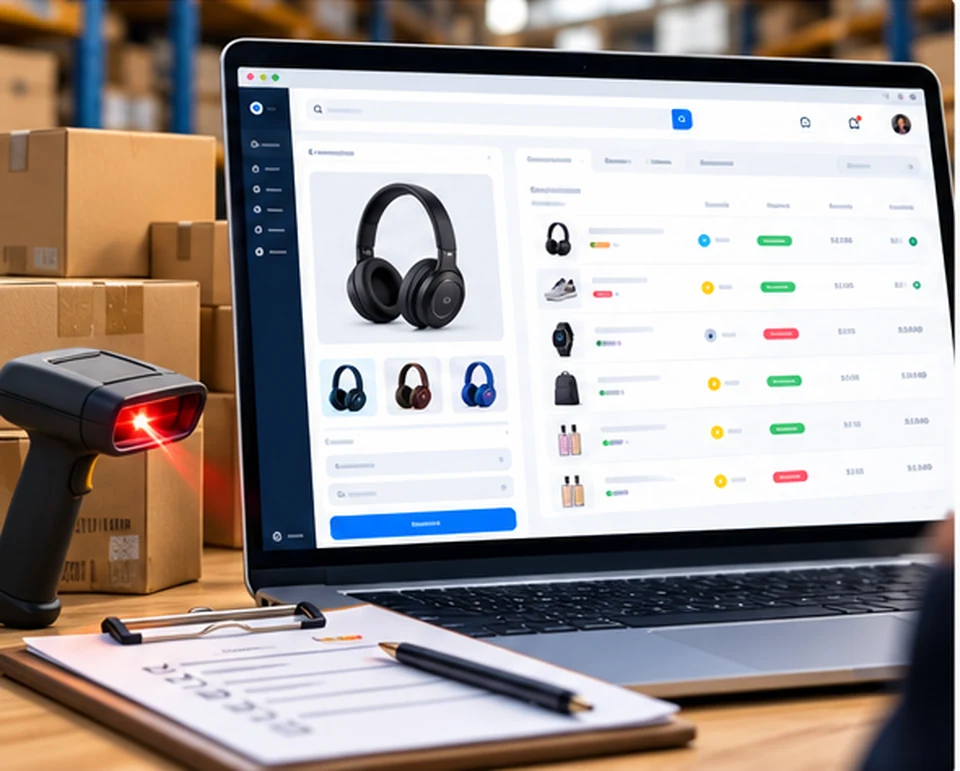
1. Product and inventory management
Products are the starting point of every store.
In Rigi24, products and their variants can have their own price and stock, while inventory is connected directly to the order lifecycle.
When an order is created, the system does not merely change a displayed stock number; it can reserve inventory for that order.
This matters when several customers order the same item at nearly the same time.
The inventory lifecycle can include:
- reserving stock for an order;
- releasing a reservation;
- dispatching stock when the order is sent;
- returning stock to inventory;
- adding new stock; and
- inventory adjustments.
This keeps the inventory state aligned with the real state of the order.
2. How does an order enter the system?
An order can be created in two main ways.
Customer online order
The customer submits an order through the online store and it enters the business panel directly.
Manual order created by the store
Sometimes customers order by phone, in person or through social networks.
In that case, a manager or employee can create the order directly in Rigi24, so telephone and social-media orders do not have to live outside the system.
3. Complete order status lifecycle
Each order passes through clearly defined states.
New — the order has just been created.
Confirmed — the store has reviewed and accepted the order.
Preparing — the product or package is being prepared.
Ready — the order is ready for pickup or handoff to a courier.
Out for delivery — the courier has received the order and delivery has started.
Delivered — the customer has successfully received the order.
Delivery failed — the courier could not complete delivery.
Returned — the order has returned to the store or warehouse.
Cancelled — the order has been cancelled.
These states let the manager know exactly where every order is in the process.
4. Pickup or delivery to an address
Rigi24 supports two primary fulfilment methods.
Pickup
The customer receives the order from the store or business location.
Delivery to the customer
Address, courier, delivery time and delivery status become part of the delivery workflow.
5. Order payment management
The payment method and payment state can also be recorded for each order.
Examples include:
- online payment;
- cash on delivery;
- card payment on delivery;
- bank transfer;
- other payment methods;
- payment outside Rigi24;
- partial payment; and
- full payment.
The registered amount and payment status remain visible on the order.
This is particularly important when money must be collected at delivery, because the store and courier need to know how much the customer still owes.
6. Starting order delivery
When an order is ready, the manager can start the delivery process.
In Rigi24, this is more than changing a status label.
The manager first specifies delivery information such as:
- the courier;
- the approximate delivery start time; and
- the approximate end of the delivery window.
After confirmation, the order moves into Out for delivery.
7. Rigi24 internal courier
One important feature is the ability to use Rigi24 users as internal couriers.
The manager can search for a courier by mobile number.
If that person already has a Rigi24 account, their information is displayed and, when available, their profile image can also be shown.
The user can then be assigned as a courier for the store.
8. What if the courier is not yet a Rigi24 user?
If the searched mobile number does not belong to an existing user, the store can register the courier's information.
- A Rigi24 user is created.
- The courier information is saved.
- The new user can be assigned as a courier.
After registration, the courier needs to start the Rigi24 Telegram bot to receive Telegram features and notifications.
This avoids forcing every courier to complete a complicated registration process before the store can add them.
9. External courier without a user account
Not every courier is a permanent member of the business.
A store may use a driver, contractor or third-party delivery service.
Rigi24 therefore also supports an External Courier.
The manager can register the information needed for a delivery, such as the courier name and phone number, without creating a full account.
The store is therefore not limited to couriers who are registered Rigi24 users.
10. Delivery Run management
When one courier has several orders, managing each order independently is inefficient.
Rigi24 uses the concept of a Delivery Run.
A run can contain several orders and can include information such as:
- courier;
- orders in the run;
- number of stops;
- delivery window;
- route information;
- start time; and
- run status.
Orders can be added to or removed from a run, allowing the courier to manage a group of deliveries as one operational route.

11. Notifying the courier about a new route
When a new run is assigned, route information can be sent to the courier through Telegram.
The notification can contain:
- the new route;
- number of destinations;
- delivery window;
- route details; and
- a button that opens the courier panel.
The courier does not need to call the manager repeatedly to learn which orders have been assigned.
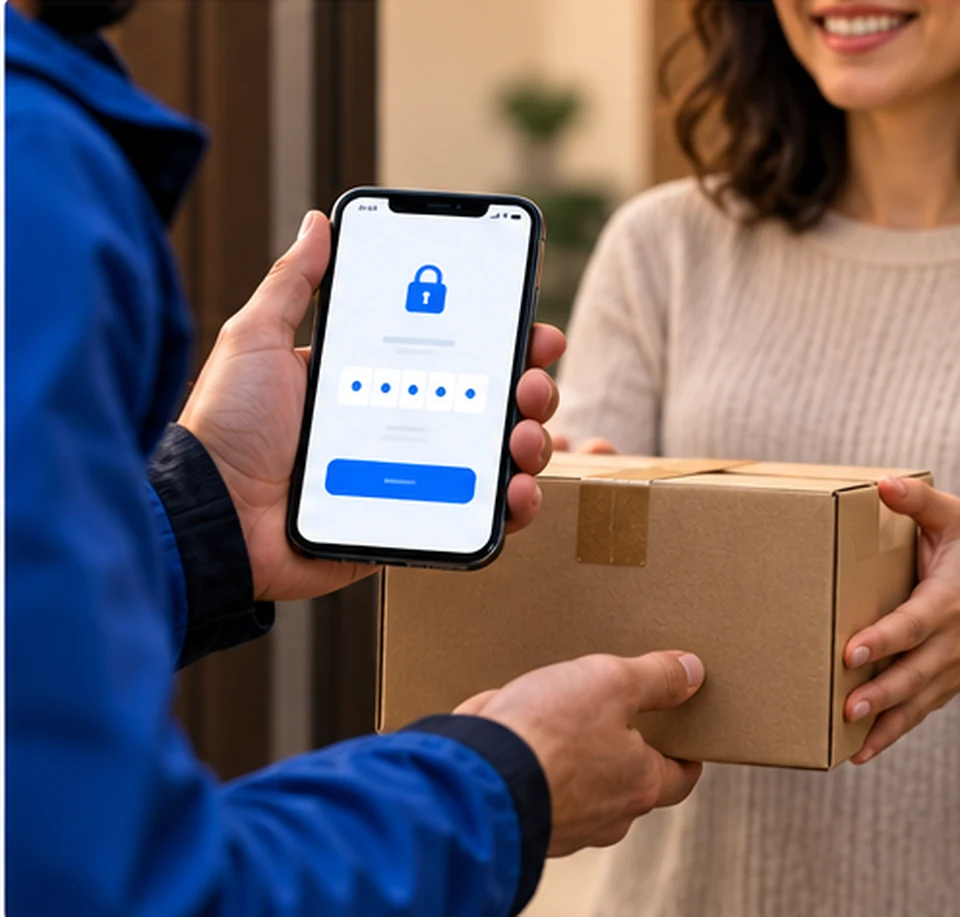
12. Six-digit PIN for secure delivery
One of the key delivery features in Rigi24 is the delivery PIN.
When an order enters delivery, a six-digit PIN is issued for the customer.
The customer should give it to the courier only when the goods have actually been received.
The courier enters the PIN in the system.
If the PIN is valid, delivery can be confirmed.
For security, the plain PIN itself is not stored.
Only its hash is retained.
For broader security background on storing secrets as hashes rather than plain text, see the OWASP Password Storage Cheat Sheet.
This design reduces the risk of an order being marked as delivered when the customer has not actually received it.
13. What information can the customer receive during delivery?
When the order enters delivery, the customer can receive information such as:
- order number;
- courier name;
- courier phone number;
- estimated delivery time;
- delivery PIN; and
- order tracking link.
If the order is being sent again and a redelivery fee applies, financial information about that fee can also be included.
14. Public order tracking
Orders can have a public tracking link.
The customer can use it to see the order state without repeatedly contacting the store to ask whether the order has been sent or where it is.
15. What happens if the customer is not available?
One of the real problems of online retail is that not every delivery attempt succeeds.
For example:
- The customer is not at the address.
- The customer does not answer the phone.
- The address is incorrect.
- The customer does not accept the order.
- Another problem occurs during delivery.
In this situation the courier can mark the order as Delivery Failed.
The reason for the failed delivery can also be recorded.
This prevents the order from being incorrectly recorded as Delivered.
16. Manager review of failed deliveries
Rigi24 has a review process for unresolved deliveries.
A manager can see orders that:
- are still out for delivery;
- have passed their delivery window;
- have a failed delivery; or
- require a next decision.
For a failed delivery, the manager can decide whether the order should be sent again or returned.
17. Redelivering an order
If the customer still wants the order, the manager can prepare it for another delivery attempt.
The order can be reassigned to the same courier or the previous assignment can be cancelled and a different courier selected.
The manager can specify:
- courier;
- new delivery window; and
- redelivery fee.
If no additional fee is charged, the redelivery fee can be zero.
18. Preventing inventory from being deducted twice during redelivery
Redelivery is not a second sale. The goods have already left inventory for the same order.
Therefore retrying delivery must not deduct inventory a second time.
Rigi24 separates a new delivery attempt from a new inventory dispatch, helping prevent stock errors on orders that require more than one delivery attempt.
19. Returning the parcel from the courier to the office
After a failed delivery, a courier may bring the parcel back to the store office.
This is not the same as returning the merchandise to available inventory.
The system can first record that the parcel was physically received back from the courier and returned to the office.
The manager can then decide what happens next, including another delivery attempt.
This distinction matters because a parcel may be at the office while the order itself is still active.
20. Returning merchandise to inventory
If the final decision is not to send the order again and the goods physically return to the store or warehouse, the manager can confirm Return to Inventory.
At that point the stock is restored.
Rigi24 therefore distinguishes between:
parcel returned to the office
and
goods returned to inventory.
This distinction is important for accurate stock control.
21. Manual delivery confirmation by a manager
The normal and safer delivery flow uses the customer's PIN.
In exceptional cases, however, a manager may know that the order was genuinely delivered even though the PIN was not recorded.
Rigi24 provides a manager confirmation path for these situations.
The action is recorded as a manager operation so the history clearly shows that the standard PIN flow was not used.
22. Cancelling a courier assignment and choosing another courier
If a redelivery has already been assigned but the courier has not started it, the manager can cancel the current assignment and select another courier.
A mistaken assignment therefore does not permanently lock the order to one courier.
23. Telegram in Rigi24 Store
Telegram is an important notification channel in the Store workflow.
For example, a seller can receive a notification when a new order is created.
It can contain:
- store name;
- order number;
- customer name;
- customer phone;
- order amount;
- payment method; and
- a button that opens store management.
Couriers can receive information for newly assigned routes, and customers can receive messages related to order status or the delivery PIN.
For technical background on Telegram bot communication, see the official Telegram Bots documentation.
24. When is SMS used?
Rigi24 can also use SMS in delivery-related flows, but the system is designed so that SMS is not sent unnecessarily or compulsorily.
Telegram can be the primary channel, while SMS usage is controlled by business settings.
This also helps control SMS costs.
25. Customer notifications when order status changes
When the order status changes, customer communication can reflect the new state.
The customer can be informed when an order is:
- confirmed;
- being prepared;
- ready to send;
- out for delivery;
- delivered; or
- unsuccessfully delivered.
When delivery fails, the failure reason can also be included.
Businesses that want to manage customer history and relationships beyond a single order can also use the Rigi24 CRM guide.
26. Invoice and complete order information
The order view gives the manager access to details including:
- products;
- quantity;
- unit price;
- items subtotal;
- delivery fee;
- final total;
- customer information;
- address;
- order number;
- tracking code;
- payment method;
- payment status;
- creation date;
- delivery status;
- courier information;
- status history.
An invoice can also be created for the order.
27. Order operation history
A useful operational system should not only show the current state.
Rigi24 also keeps the order status history.
This helps answer questions such as:
- When was the order confirmed?
- When was it prepared?
- When was it handed to the courier?
- When did a failed delivery occur?
- Was the order sent again?
- Was delivery manually confirmed by a manager?
28. Rigi24 Store in eight languages
Store, Courier and related notifications support the eight main Rigi24 languages:
- ქართული — Georgian
- English
- Русский — Russian
- Türkçe — Turkish
- Farsi — Persian
- العربية — Arabic
- Հայերեն — Armenian
- Azərbaycan dili — Azerbaijani
RTL layout is supported for Persian and Arabic.
This is useful for businesses that operate with multilingual customers or staff.
29. A practical example of the order lifecycle
Suppose a customer orders a product from the store.
Step one
The order enters the system with status New, and the required stock is reserved.
Step two
The store reviews the order.
Status: Confirmed.
Step three
An employee prepares the package.
Status: Preparing.
Step four
The package is ready for the courier.
Status: Ready.
Step five
The manager selects the courier and delivery window.
Status: Out for Delivery.
A delivery PIN is issued for the customer.
Step six
The courier reaches the customer.
If the customer receives the goods, they provide the PIN.
The courier enters it and the order becomes Delivered.
The delivery lifecycle is complete.
30. Example of a failed delivery
Suppose the courier reaches the address but the customer is not there.
The courier records the reason and the order becomes Delivery Failed.
The manager then sees the order in Delivery Review and decides between redelivery and returning the goods.
If the customer requests another attempt, the manager selects the courier and a new delivery window, and can also set a redelivery fee.
The same order then starts another delivery attempt without deducting inventory again.
31. Why does this structure matter?
Many stores can manage a small number of orders with phone calls, messaging apps and spreadsheets.
Problems begin when order volume grows.
Typical questions include:
Who took this order?
Was it delivered?
Did the courier bring the parcel back?
Did the product return to inventory?
Who pays the second delivery fee?
Has the customer paid the full amount?
Why did this product's stock decrease?
Which courier was responsible for the order?
The purpose of Rigi24 Store is to keep the answers to these operational questions inside the system.
Once order and customer information is structured, a business can also use customer loyalty tools to support repeat purchases and retention.
32. Rigi24 Store is more than a storefront
The main difference between Rigi24 Store and a simple storefront is its operational workflow.
Selling does not end when the customer clicks the order button.
The difficult work comes afterward:
inventory, preparation, payment, courier assignment, route, delivery, PIN, failed delivery, redelivery, return and tracking.
Rigi24 is designed to keep those stages inside one connected process.
Conclusion
Rigi24 Store is designed for businesses that want to manage real post-order operations in addition to online selling.
From products and inventory to orders, payments, preparation, couriers, delivery runs, secure PIN confirmation, customer tracking, failed delivery, redelivery and returns, the entire process can be managed as one workflow.
The manager does not merely see that “an order exists”; they can understand where the order is, who is responsible for it, how much remains to be collected, what happened to inventory and what the next action should be.
Rigi24 Store: from order to delivery, every step follows a clear and traceable workflow.
Frequently asked questions
Is Rigi24 only for online orders?
No. Customers can order online, while managers can also create phone, in-person and social-media orders directly in Rigi24.
Does Rigi24 manage inventory?
Yes. Reservation, release, dispatch, return and stock adjustment are tied to the order lifecycle.
Can a store use its own couriers?
Yes. Rigi24 users can be internal couriers, and external couriers without a full user account are also supported.
What is the delivery PIN for?
A six-digit PIN is issued during delivery and the customer gives it to the courier only after actually receiving the order.
What happens after a failed delivery?
The order can move to Delivery Failed and the manager can choose redelivery, another courier or a return.
Does redelivery deduct inventory again?
No. A retry of the same order is not a new sale and should not deduct stock a second time.
Can the customer track the order?
Yes. Public Tracking provides a link where the customer can see the current order status.
How many languages does Rigi24 Store support?
Store, Courier and related notifications support Georgian, English, Russian, Turkish, Persian, Arabic, Armenian and Azerbaijani.
 RIGI24 RESTAURANTRigi24 Restaurant Management Software: From Smart Menu and Table Ordering to Reservations and Waiter Management
RIGI24 RESTAURANTRigi24 Online Restaurant Reservations: Manage Online, Phone and In-Person Bookings in One Calendar
RIGI24 RESTAURANTWaiter and Table Ordering Management with Rigi24: Comparing Pagers and Basic QR Menus
RIGI24 RESTAURANTRigi24 Restaurant Management Software: From Smart Menu and Table Ordering to Reservations and Waiter Management
RIGI24 RESTAURANTRigi24 Online Restaurant Reservations: Manage Online, Phone and In-Person Bookings in One Calendar
RIGI24 RESTAURANTWaiter and Table Ordering Management with Rigi24: Comparing Pagers and Basic QR Menus
 Rigi24 Academy · InvoicingComplete Guide to Rigi24 Invoicing — Invoices, Acceptance Acts, Payments and Accountant Workflow